
Introduction
Every business needs more than a record of money received
and paid. It must also understand what it owns, what it owes, how much
customers still need to pay, which supplier bills are due, whether operations
are profitable, and whether enough cash is available to meet upcoming
obligations.
Accounting organises this information into a structured
financial system. It converts sales, purchases, expenses, payments, taxes,
assets, and bank activity into records that can be reviewed, reconciled, and
reported.
Odoo 19 Accounting brings these processes into one
connected application. Customer invoices can originate from Sales, vendor bills
can be supported by Purchase documents, expenses can flow from the Expenses
application, bank transactions can be reconciled, and posted entries can update
financial reports. The value of Odoo is not simply that it stores figures; it
links financial records with the business activity that created them.
What Is Accounting?
Accounting is the process of recording, classifying,
summarising, analysing, and reporting a business’s financial activity.
Bookkeeping records the daily transactions; accounting uses those records to
explain financial performance, financial position, cash movement, obligations,
risks, and trends.
Why Accounting Is Necessary for a Business
A business may have strong sales and still face financial
difficulty. Revenue can grow while customers remain unpaid, supplier
obligations increase, expenses rise, or cash is tied up in inventory.
Accounting provides the visibility required to distinguish business activity
from genuine financial health.
◈ Measure profitability by comparing revenue with
the costs and expenses incurred to earn it.
◈ Monitor cash so the business can meet salaries,
rent, taxes, loan payments, and supplier obligations.
◈ Track customer receivables and identify invoices
that are overdue or only partially paid.
◈ Track vendor payables and plan payments before
they become late.
◈Create an audit trail that explains how each
reported balance was produced.
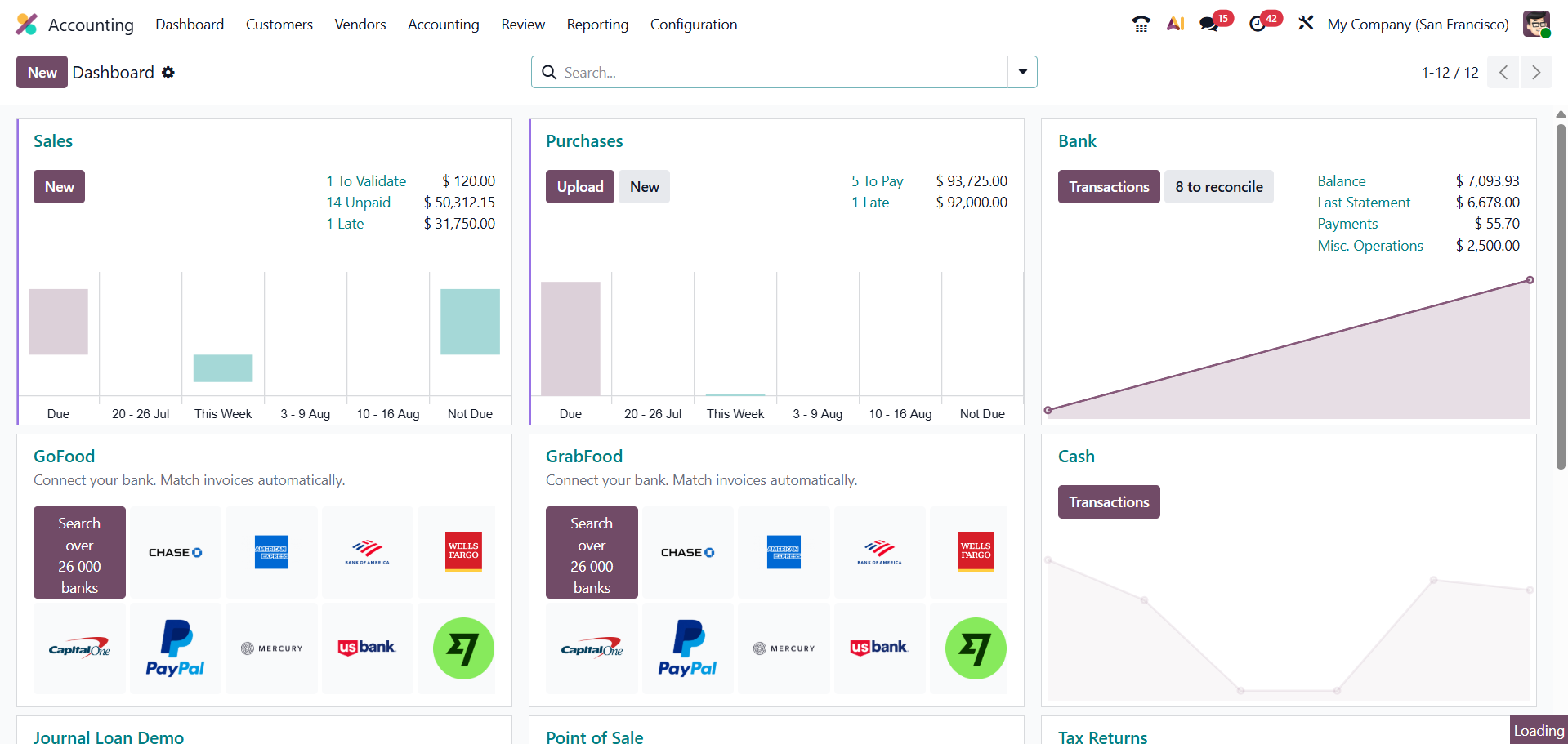
Odoo 19 Accounting Dashboard
The Accounting Dashboard is the starting point for daily
financial work. It presents journal cards and shortcuts for activities such as
customer invoices, vendor bills, bank transactions, cash, credit cards, and
reconciliation.
- Review journal balances and activity.
- Open customer invoices or vendor bills.
- Import, synchronise, or review bank transactions where supported.
- Access items waiting for bank matching or reconciliation.
- Open journal-specific actions and configuration.
- Follow the onboarding steps when the Accounting application is first configured.
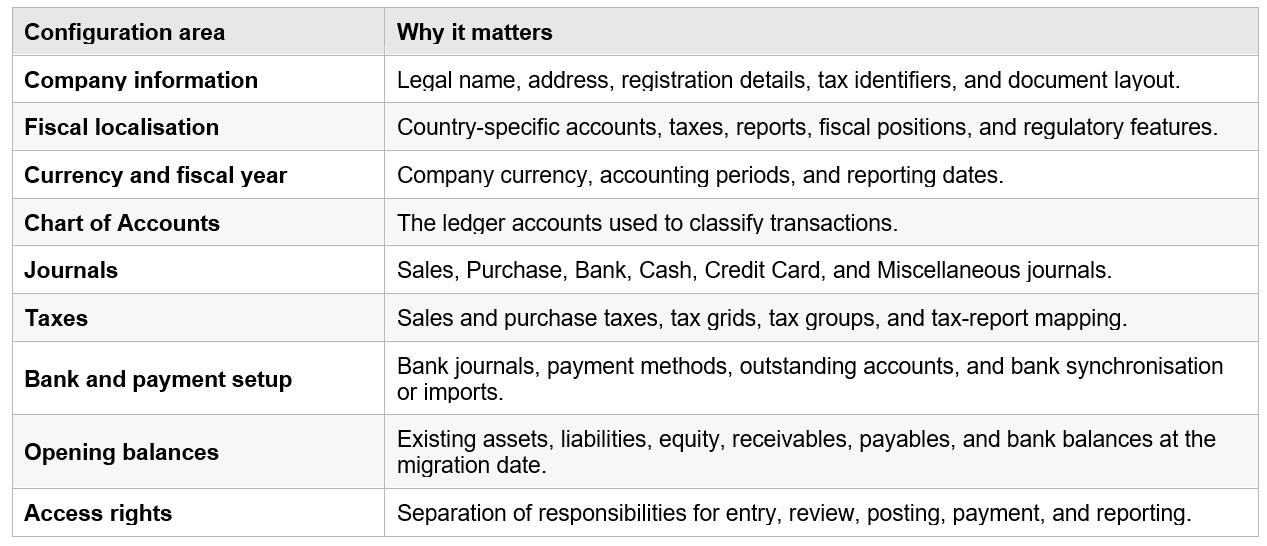
Essential Initial Configuration
Before live transactions are posted, the accounting
structure must reflect the company’s legal, operational, and reporting needs.
The following areas should be reviewed with a qualified accountant or local
adviser.
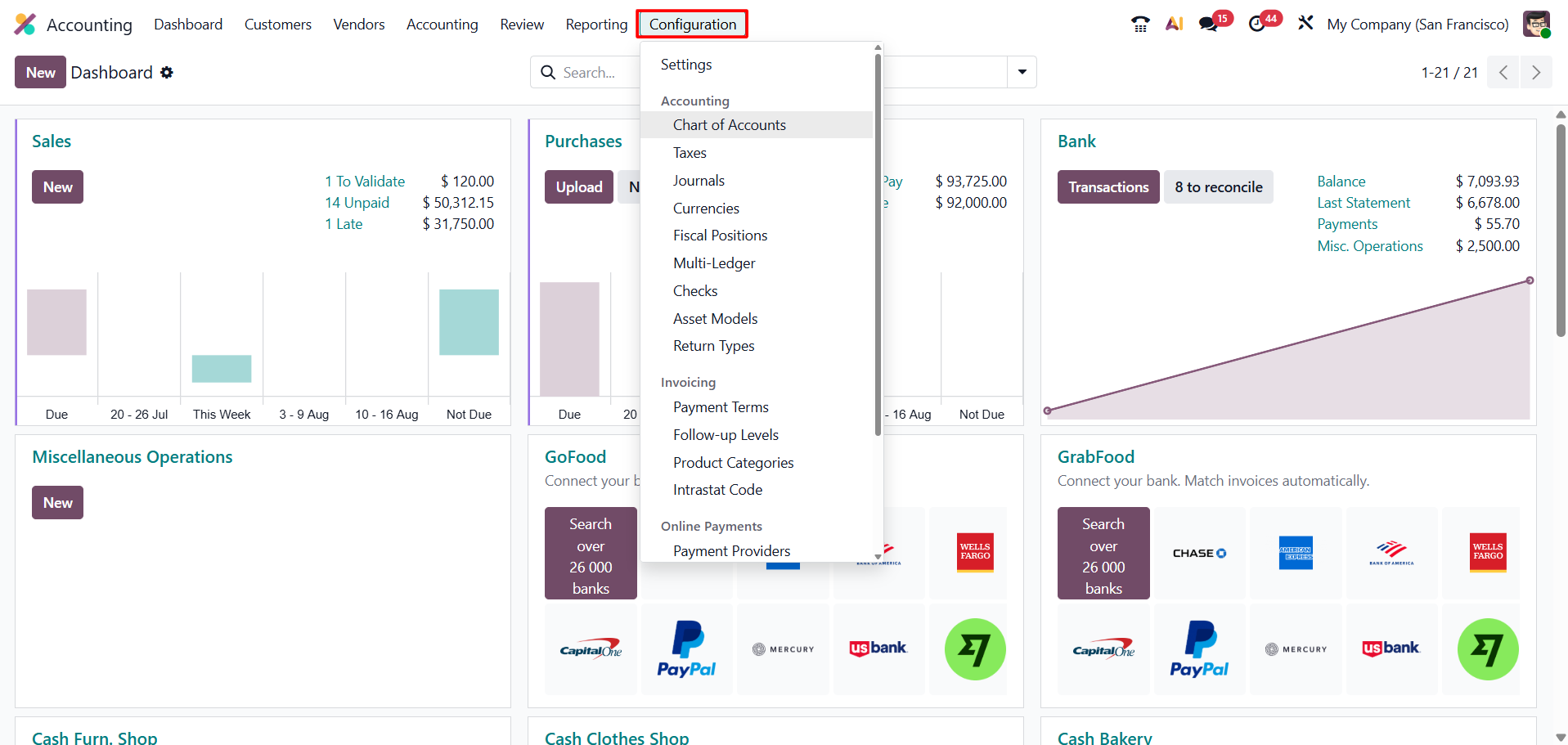
Fiscal Localisation
Fiscal localisation adapts Odoo Accounting to the
company’s country. Depending on the jurisdiction, it can provide a standard
Chart of Accounts, taxes, tax reports, fiscal positions, electronic invoicing
functions, and country-specific reports.
Localisation should be selected and reviewed before
significant transactions are posted. The default structure is a starting point,
not a substitute for professional review. Tax rates, reporting rules, and
required accounts vary by country and industry.
The Chart of Accounts
The Chart of Accounts is the organised list of accounts
used to record financial transactions in the general ledger. Every posted
journal item is assigned to an account, and the account type determines where
the amount appears in financial reports.
Each account normally has a code, name, account type, and
additional settings such as currency or whether reconciliation is allowed. A
well-designed Chart of Accounts should be detailed enough for management and
compliance, but not so large that users cannot select the correct account
consistently.
|
Example account |
Financial category |
Purpose |
|
Bank |
Asset |
Tracks money held in a business bank account. |
|
Accounts Receivable |
Asset |
Tracks amounts customers owe. |
|
Inventory |
Asset |
Tracks stock value when the selected accounting method requires it. |
|
Equipment |
Asset |
Tracks long-term equipment or fixed assets. |
|
Accounts Payable |
Liability |
Tracks amounts owed to vendors. |
|
Tax Payable |
Liability |
Tracks taxes collected or due. |
|
Service Revenue |
Income |
Records income from services. |
|
Cost of Sales |
Expense |
Records direct costs associated with sales. |
|
Rent Expense |
Expense |
Records property rental costs. |
Accounting Journals
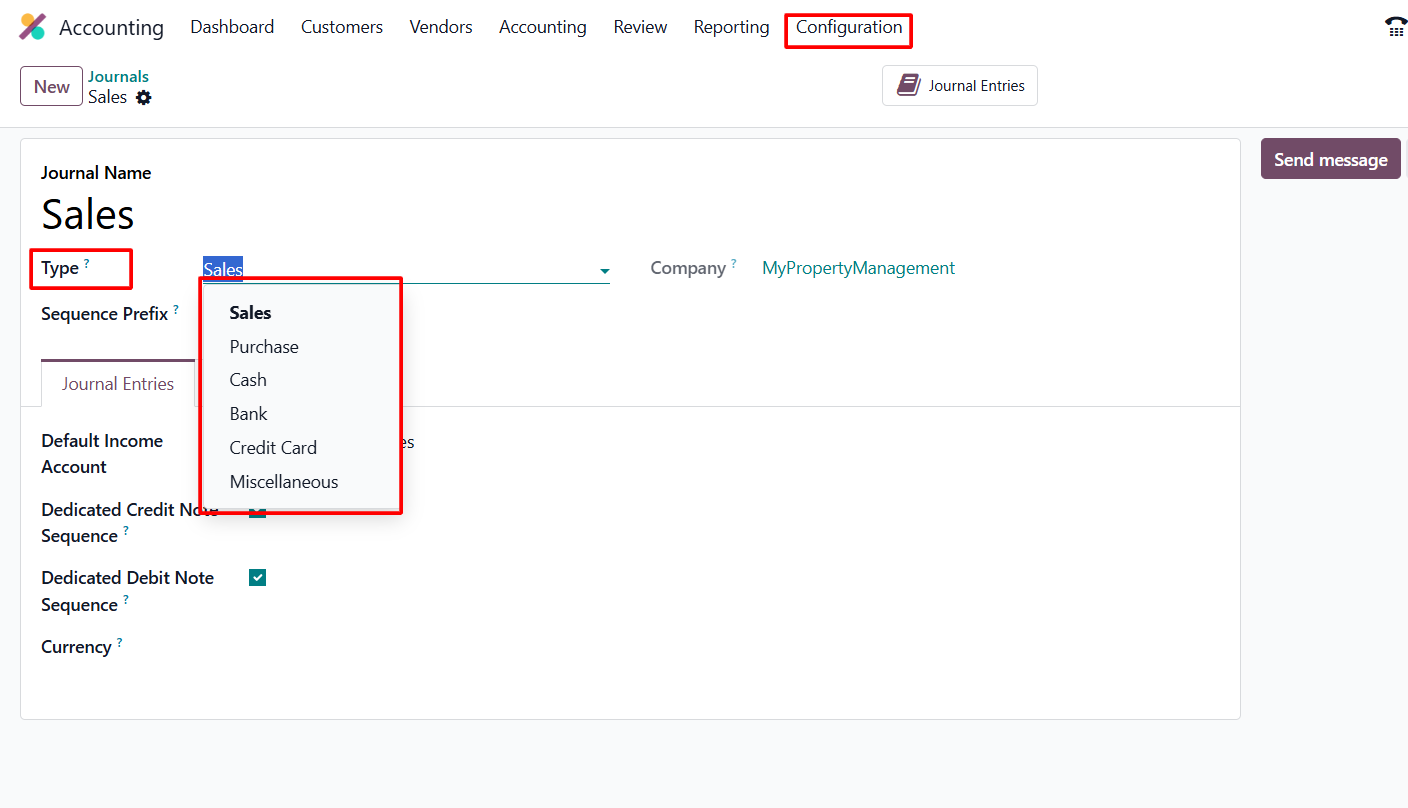
Journals organise accounting entries according to their source or purpose. Odoo 19 uses six journal types:
|
Journal type |
Typical use |
|
Sales |
Customer invoices and credit notes. |
|
Purchase |
Vendor bills and vendor credit notes. |
|
Bank |
Transactions for a specific bank account. |
|
Cash |
Cash receipts, payments, and cash-register activity. |
|
Credit Card |
Transactions associated with a company credit card. |
|
Miscellaneous |
Manual adjustments, opening entries, accruals, depreciation, and other general entries. |
A business can create multiple journals of the same type. For example, separate Bank Journals may be used for different bank accounts or currencies. Journal configuration can also control sequences, default accounts, payment methods, outstanding accounts, and security options.
Customer Invoices and Accounts Receivable
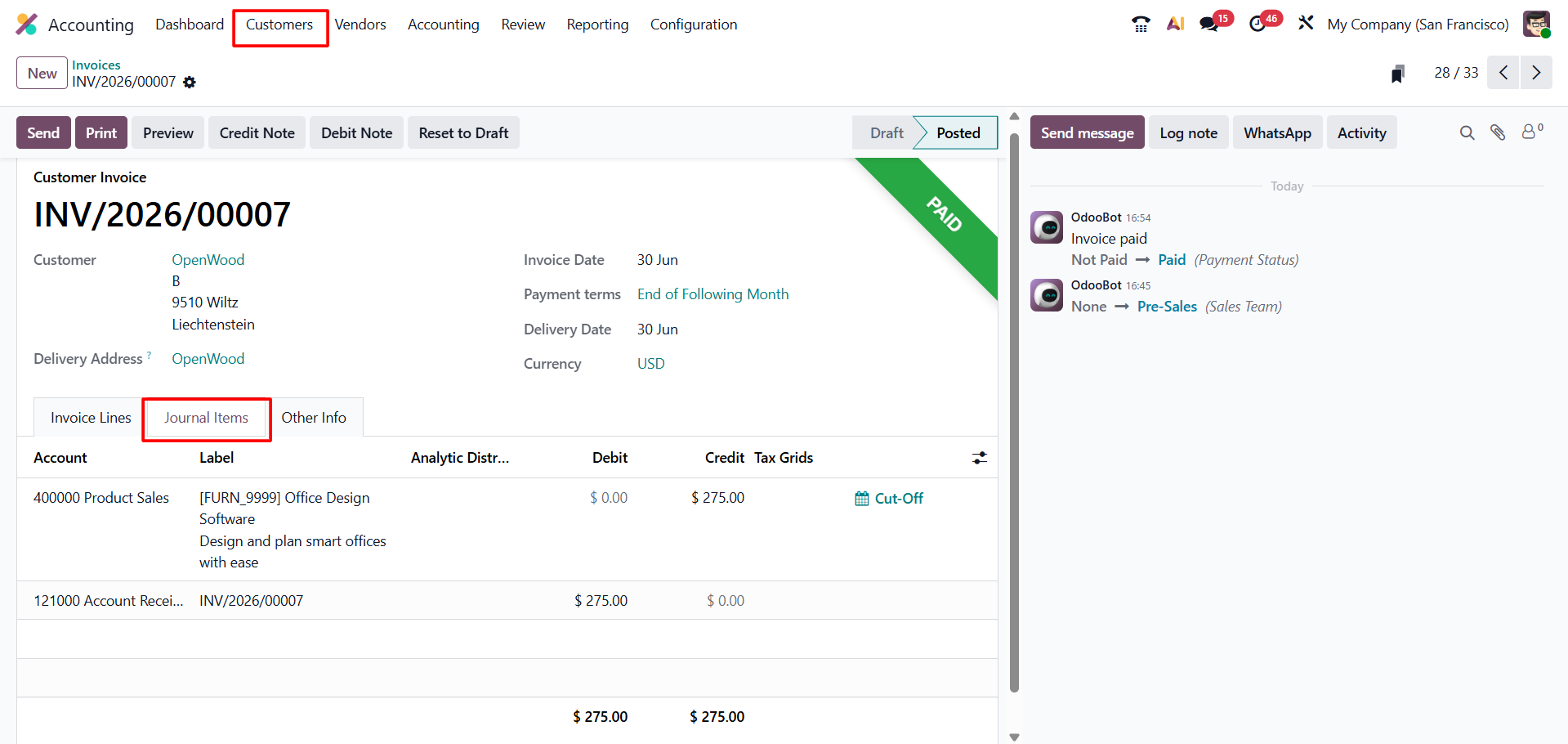
A customer invoice records the amount charged for products or services. When the invoice is posted, Odoo generates a journal entry that normally records revenue, taxes where applicable, and the amount due from the customer in Accounts Receivable.
1. Create the
invoice manually or from a connected sales workflow.
2. Review the
customer, invoice date, due date, products or services, accounts, analytic
information, and taxes.
3. Post the invoice
to create the accounting entry and assign the official sequence number.
4. Send the invoice
to the customer and monitor its payment status.
5. Register or
reconcile the customer payment according to the configured bank workflow.
6. Review open
amounts through Aged Receivable and customer-ledger information.
An invoice is not the same as cash received. Until the
payment is settled and reconciled, the customer may remain visible as an
outstanding receivable.
Vendor Bills and Accounts Payable
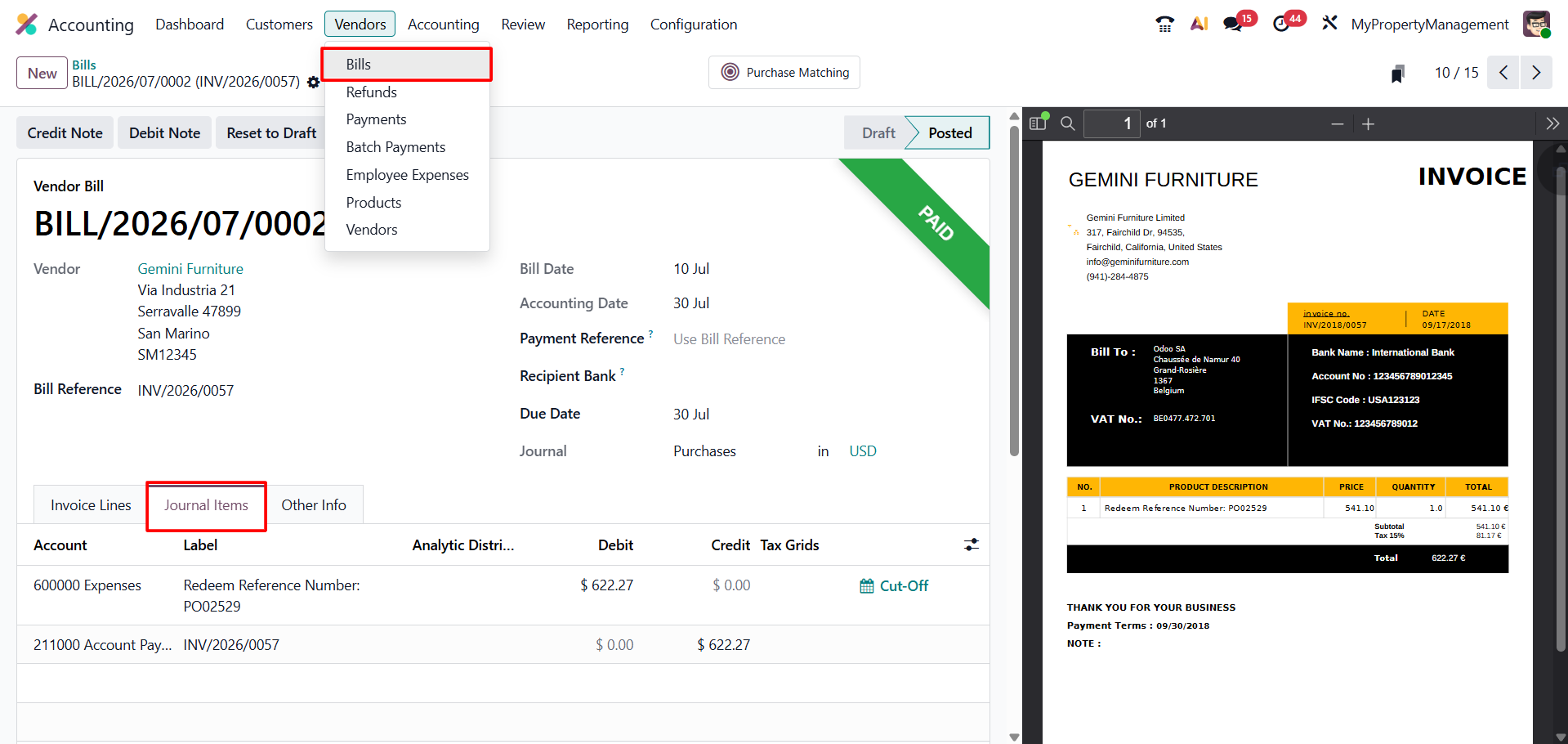
A vendor bill records the amount owed to a supplier. When posted, Odoo generates a journal entry that normally records an expense or asset, recoverable tax where applicable, and the liability in Accounts Payable.
1. Create the bill
manually, from a Purchase workflow, by upload, or through another enabled
document process.
2. Verify the
vendor, bill reference, accounting date, due date, quantities, prices,
accounts, and taxes.
3. Post the bill to
create the accounting entry.
4. Plan or register
the vendor payment.
5. Reconcile the
payment or bank transaction with the open payable.
6. Review
outstanding obligations through Aged Payable.
A purchase order confirms a commercial commitment, while a
vendor bill records the accounting obligation. Receiving goods, posting the
bill, and paying the vendor may occur on different dates.
Payments and Outstanding Accounts
Customer and vendor payments can be connected with
invoices and bills. The exact accounting result depends on the payment method
and journal configuration.
When outstanding receipt or outstanding payment accounts
are configured, registering a payment can create an interim journal entry. The
payment is then cleared when it is reconciled with the actual bank transaction.
Without outstanding accounts, the bank transaction and reconciliation may
complete the accounting settlement directly.
⬥Full payment: settles the entire invoice or
bill.
⬥Partial payment: reduces the open balance but
leaves a remaining amount.
⬥Payment terms: divide an amount into instalments
or calculate due dates.
⬥Advance or unapplied payment: creates a customer
credit or vendor debit that can be matched later.
Bank and Cash Management
Each bank account is normally represented by a Bank
Journal. Transactions can be entered manually, imported from statement files,
or received through bank synchronisation where supported. Cash Journals manage
physical cash activity, and Credit Card Journals can separate company-card
transactions.
Bank records are important because the general ledger must
agree with actual financial movements. Differences may result from timing, bank
charges, duplicate entries, missing payments, incorrect amounts, or
transactions posted to the wrong account.
Bank Reconciliation
Bank reconciliation matches transactions shown by the bank with the related records in Odoo, such as customer invoices, vendor bills, payments, transfers, or expense entries.
1. Open the Bank
Matching or reconciliation view for the relevant journal.
2. Review the
imported or entered bank transaction.
3. Confirm or select
the matching invoice, bill, payment, or journal item.
4. Record items
without an existing match, such as bank fees, using the correct account.
5. Validate the
reconciliation and investigate any remaining differences.
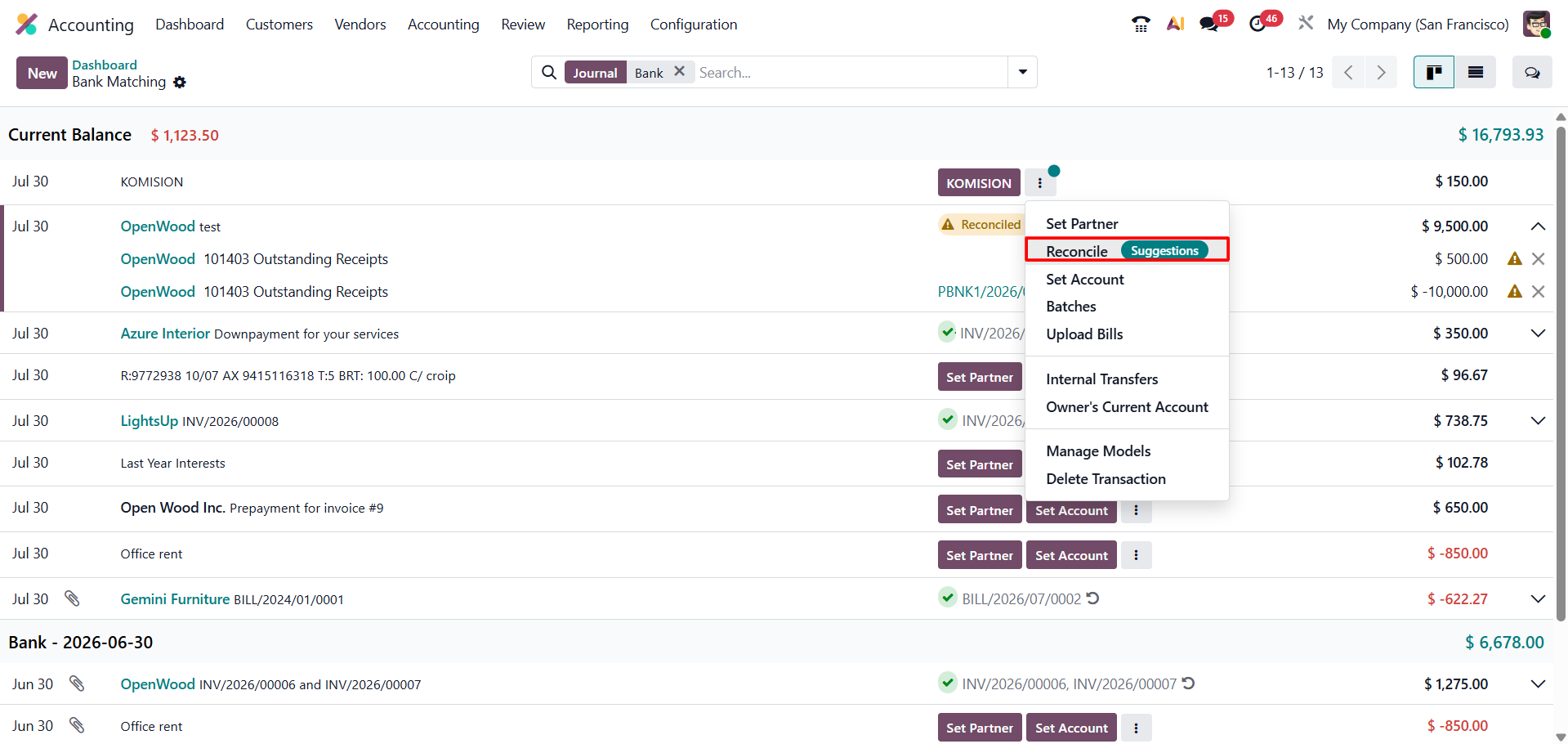
Odoo can suggest matching items and can use reconciliation models for recurring transactions. Suggested matches still require appropriate review because an incorrect reconciliation can hide open receivables, payables, or bank differences.
Taxes and Fiscal Positions
Taxes can be applied to customer invoices, vendor bills,
sales documents, purchase documents, and Point of Sale transactions. Odoo
calculates the tax amount and, on posted accounting documents, creates the
related tax journal items.
Fiscal positions can adapt taxes and accounts for specific
customer, vendor, or cross-border situations. Tax configuration must follow the
company’s localisation and legal obligations. Incorrect tax setup can affect
invoices, journal entries, tax returns, and financial reports.
• Confirm whether prices include or exclude tax.
• Use the correct sales and purchase taxes.
• Review tax accounts and tax-report grids.
• Test domestic, exempt, and cross-border
scenarios where relevant.
• Reconcile tax balances and review the tax report
before filing.
Assets and Depreciation
Long-term purchases such as vehicles, machinery, or equipment may be recorded as assets and depreciated over their useful life. Odoo can manage asset records and generate depreciation entries based on the configured asset model. The treatment should be reviewed by the company’s accountant.
Analytic Accounting and Budgets
Financial accounts explain the company’s overall results. Analytic accounting adds a management dimension by tracking revenue and cost by project, department, branch, contract, service, or another internal category.
• Measure the profitability of a project or
service job.
• Analyse a customer contract separately from the general
ledger.
• Support analytic budgets and compare planned
amounts with actual results.
Financial Reports in Odoo 19
Financial reports convert posted accounting entries into information that business owners, finance teams, accountants, lenders, and other stakeholders can use.
|
Reports |
Business purpose |
|
Balance Sheet |
Shows assets, liabilities, and equity at a particular date. |
|
Profit and Loss |
Shows revenue, expenses, and net profit or loss for a period. |
|
Cash Flow Statement |
Explains movements in cash through operating, investing, and financing activities. |
|
General Ledger |
Shows detailed activity and balances for ledger accounts. |
|
Aged Receivable |
Shows customer balances and how long amounts have remained unpaid. |
|
Aged Payable |
Shows vendor obligations and how long bills have remained unpaid. |
|
Tax Report |
Summarises taxable bases and tax amounts according to the localisation. |
|
Audit Trail |
Supports traceability of changes and accounting records. |
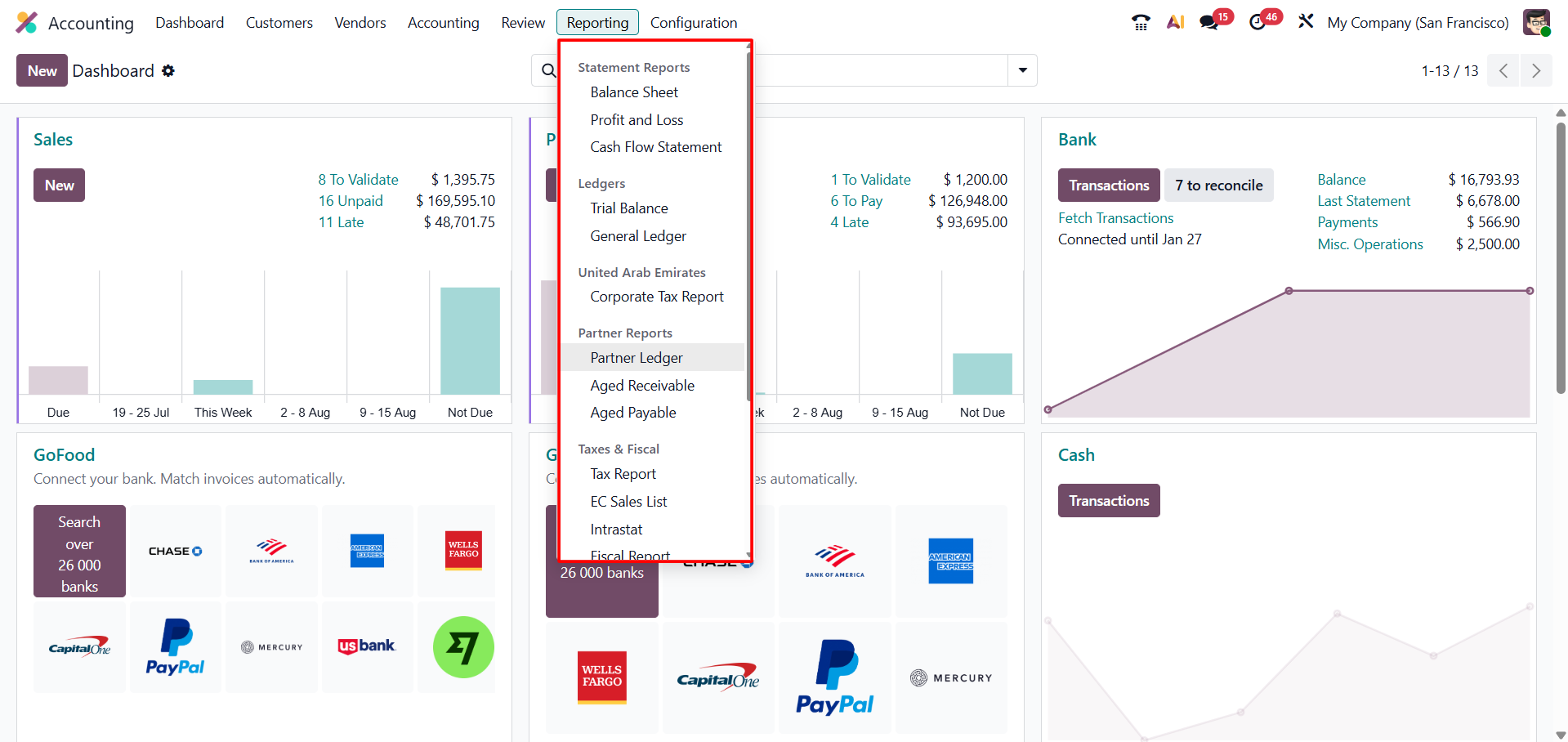
Odoo 19 Accounting combines financial structure with connected business workflows. The Chart of Accounts defines where transactions are recorded, journals organise them by source, posted invoices and bills create accounting entries, reconciliation connects records with actual bank movements, and reports turn the resulting ledger into useful financial information.
For a growing business, the goal is not simply to enter more data. It is to create a controlled financial process in which every important balance can be explained, every transaction can be traced, and management can make decisions using dependable information.