
Odoo 19 introduces AI Agents that work with the Knowledge module and Live Chat feature. Instead of rigid “if/then” logic like old chatbots, the AI understands natural language and retrieves answers directly from your company’s verified knowledge base.
This ensures:
• Faster responses
• Accurate information
• Consistent customer experience
• Reduced support workload
Install Required Modules
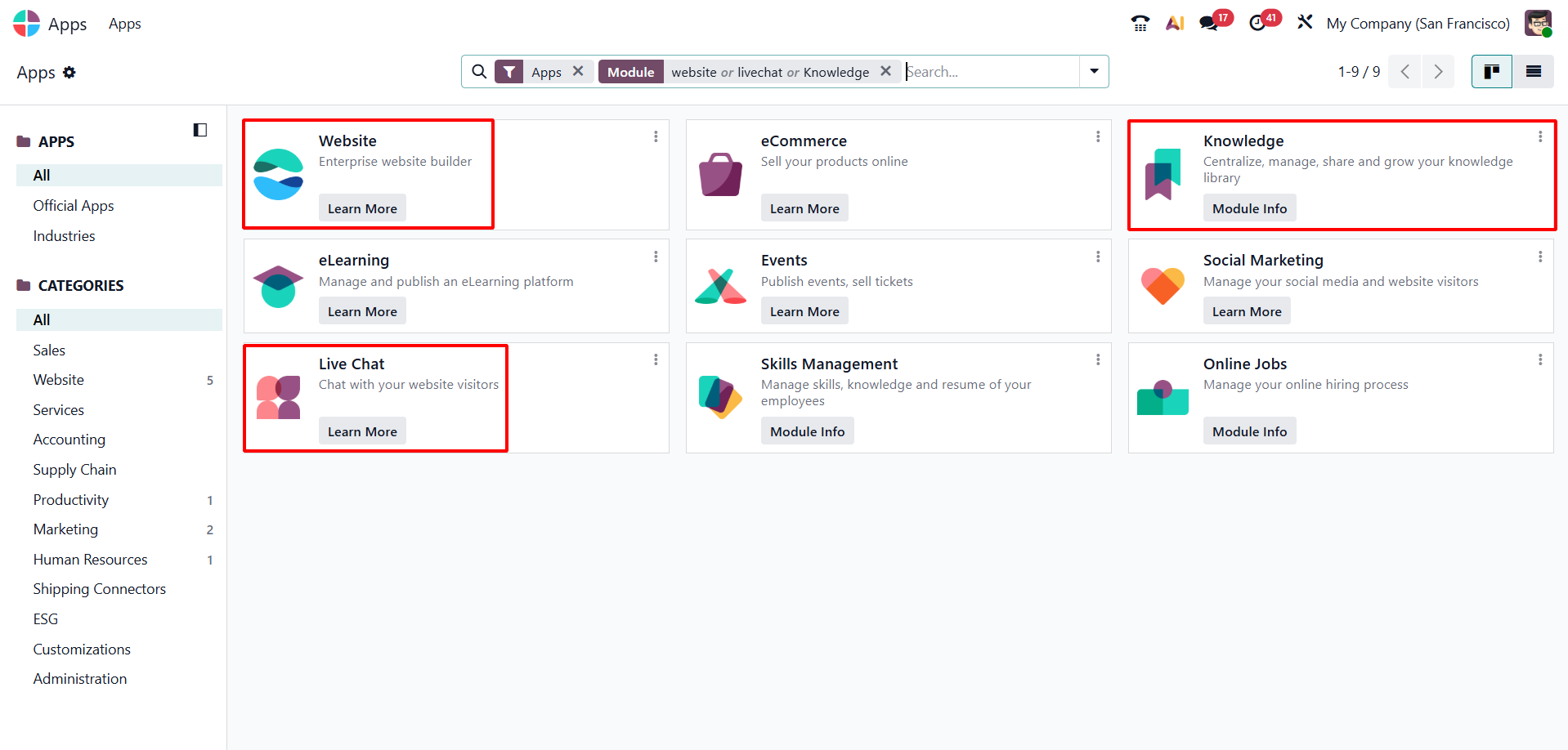
Before starting, make sure the following modules are installed:
Live Chat

Knowledge
Website
Go to:
Apps → Search for required modules → Click Install
Create and Organize Knowledge Articles
The AI Agent pulls answers directly from your knowledge base. That’s why this step is the most critical part of setting up Odoo AI Chat.
To create a new knowledge article:
Go to:
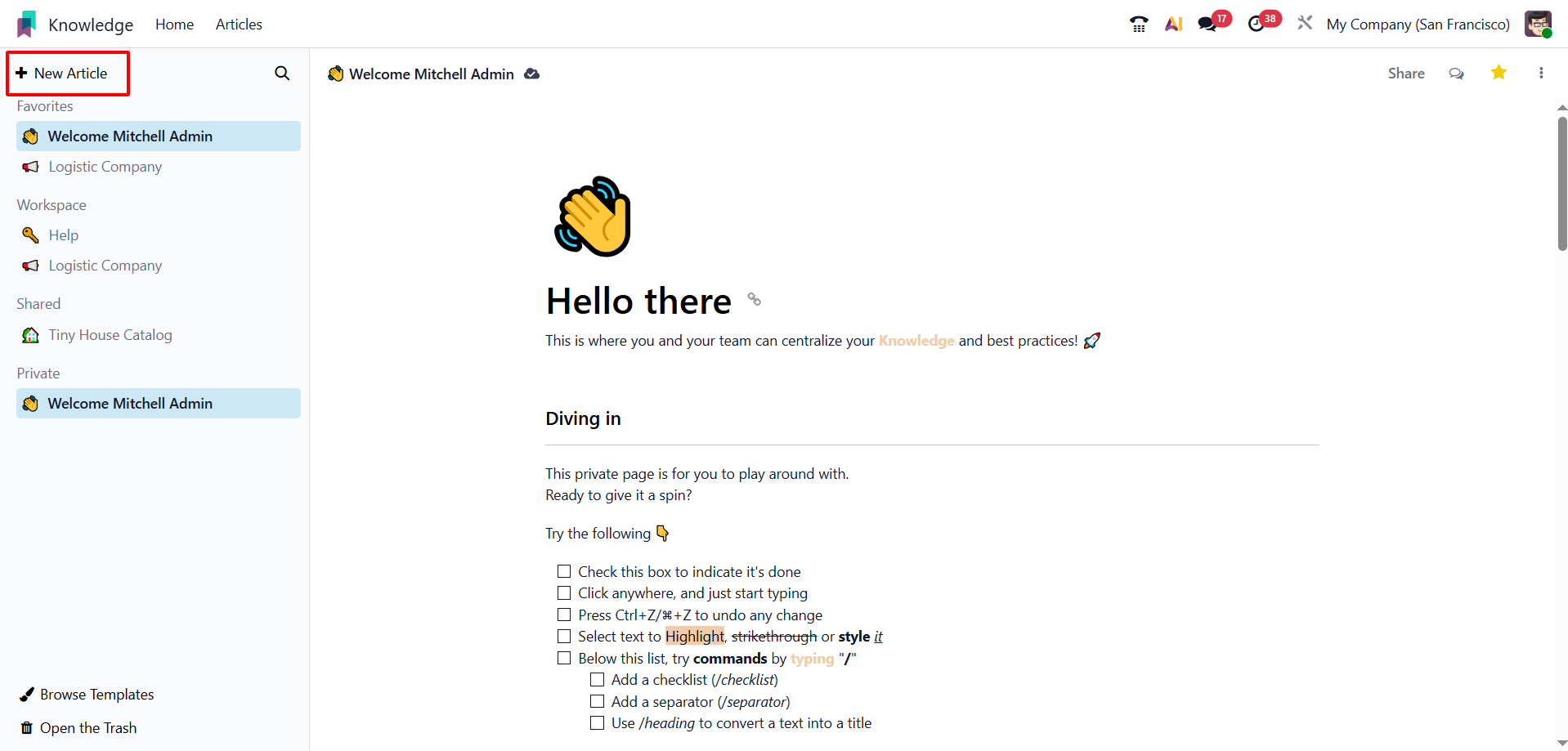
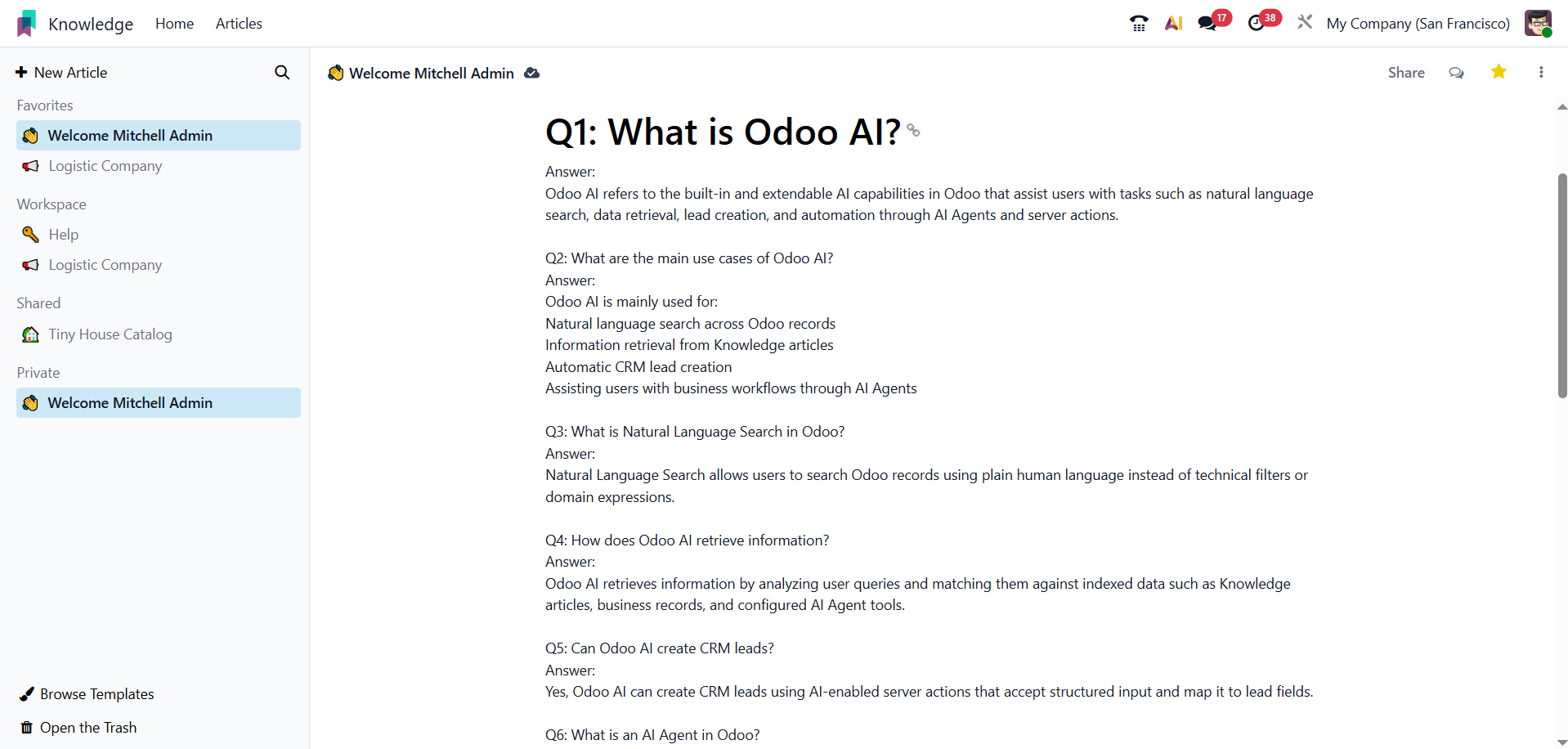
Knowledge Module → Click on “New Article”
As shown in the interface, click on the + New Article button from the left panel.
→ Enter the Topic Name (e.g., Return Policy, Pricing Details, Booking Process,
Technical Support Guide)
→ Add all related and complete information inside the article body
Odoo automatically saves your article while you are writing. You do not need to manually click a “Save” button. The system auto-saves your content in real time, reducing the risk of data loss.
Create an AI Agent
Now create the AI Agent that will answer customer queries.
Go to:
Settings → AI Agents → Create
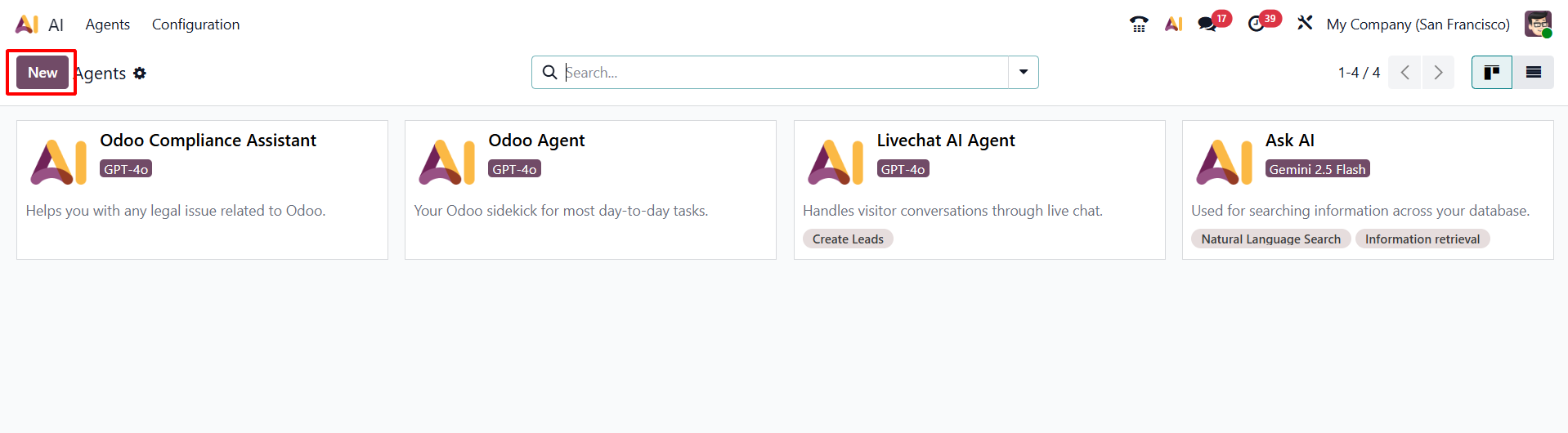
LLM (Large Language Model): is the AI brain that processes and generates responses. Example shown: Gemini 2.5 Flash
Response Style: This controls how the AI responds.
Restrict to Sources: When enabled, the AI will Only answer using assigned Knowledge Articles and Not generate answers from outside data
Topics: Help define what type of questions the AI should handle.
System Prompt This defines the AI’s behavior and rules. You should clearly instruct the AI how to respond.
Add Source
In Odoo AI Agents, Sources refer to the verified data locations from where the AI is allowed to retrieve information.
In most customer support setups, sources include:
- Knowledge Articles
- Internal Documentation
- Helpdesk Guides
- Policy Documents
In Odoo AI Chat, the most common and recommended source is:
Knowledge Module Articles
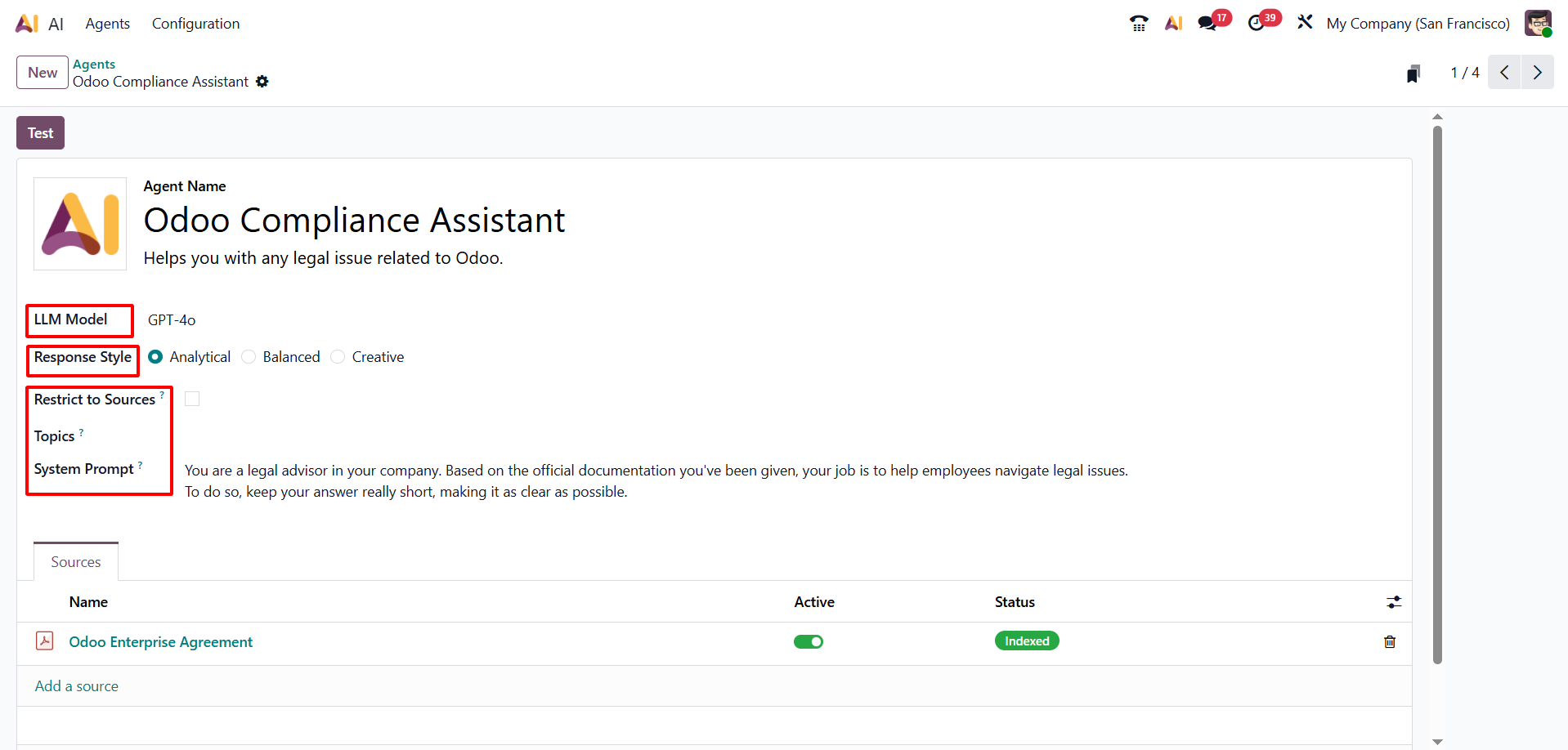
Click on “Add from Knowledge”
➤ A list of available Knowledge Articles will appear
➤ Select the articles that you previously created.
➤ Click Confirm / Add
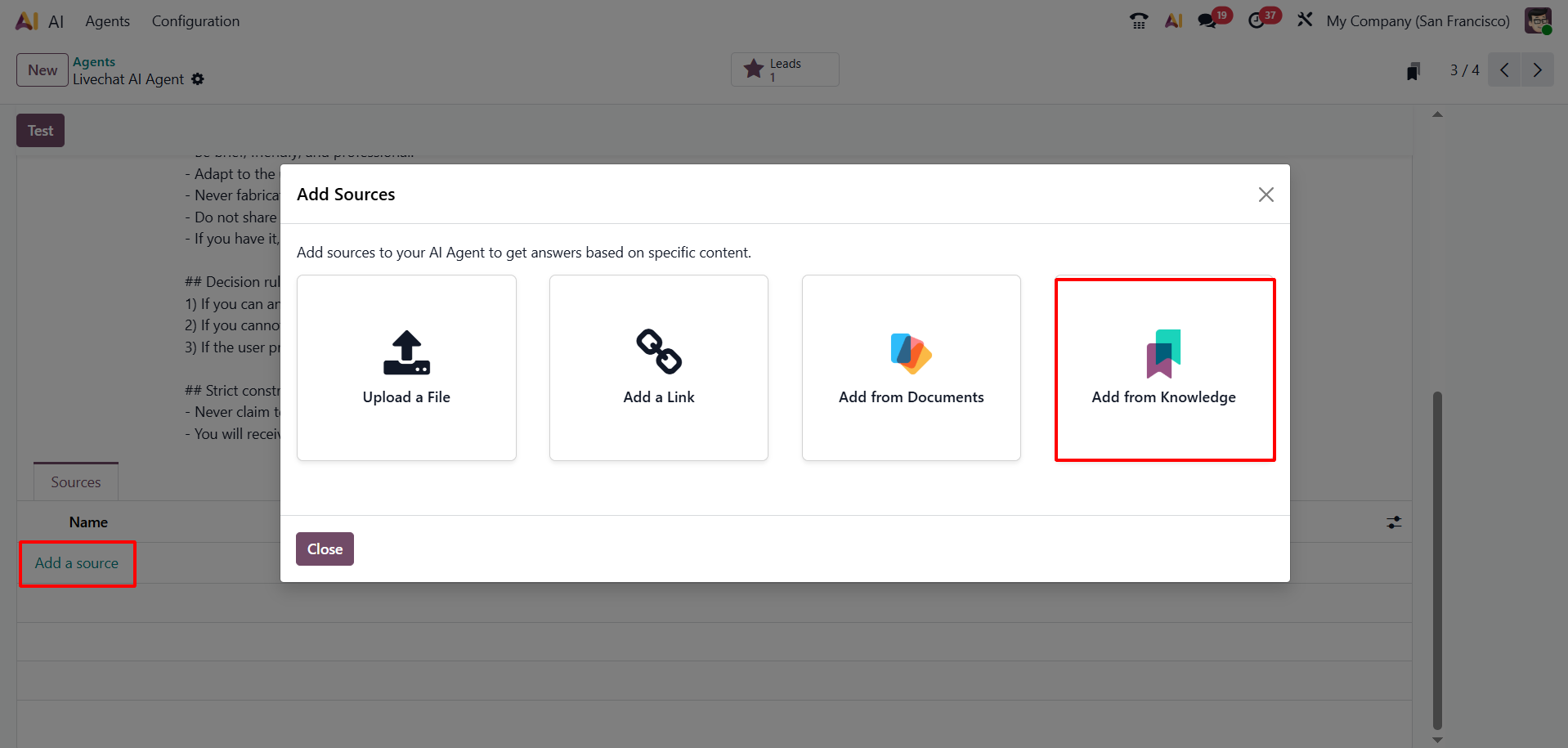
After upload the article, and wait until the status changes from Processing to completed/active before testing the AI Help Desk Assistant.
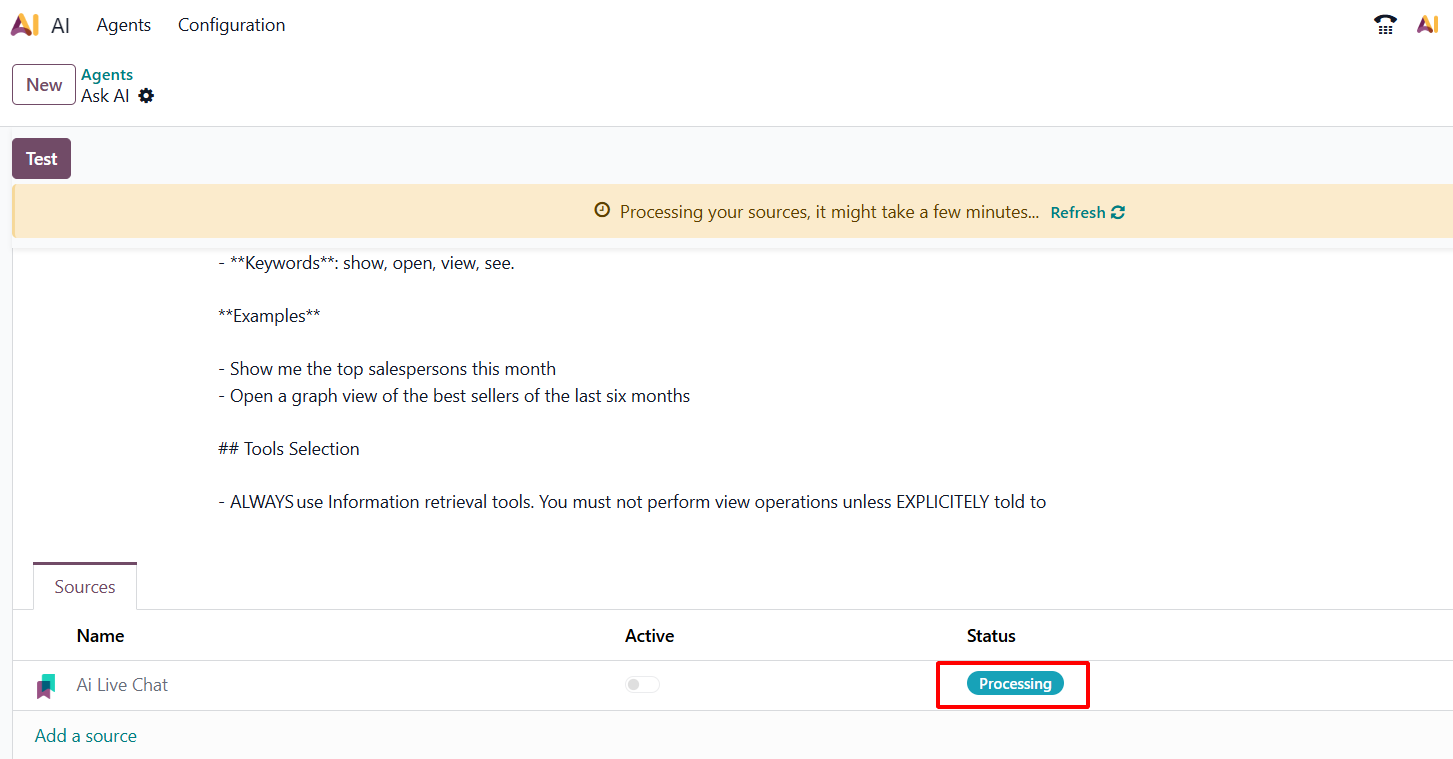
Activating Your Knowledge Sources in Odoo AI Chat
Once you’ve added your Knowledge Articles as sources, they first appear in a processing state. This means Odoo is indexing and preparing the content for the AI Agent. To make these sources active and usable by your AI:
Go to AI Agent Configuration
- Navigate to: Settings → AI Agents
- Select the AI Agent you created
Activate the Sources
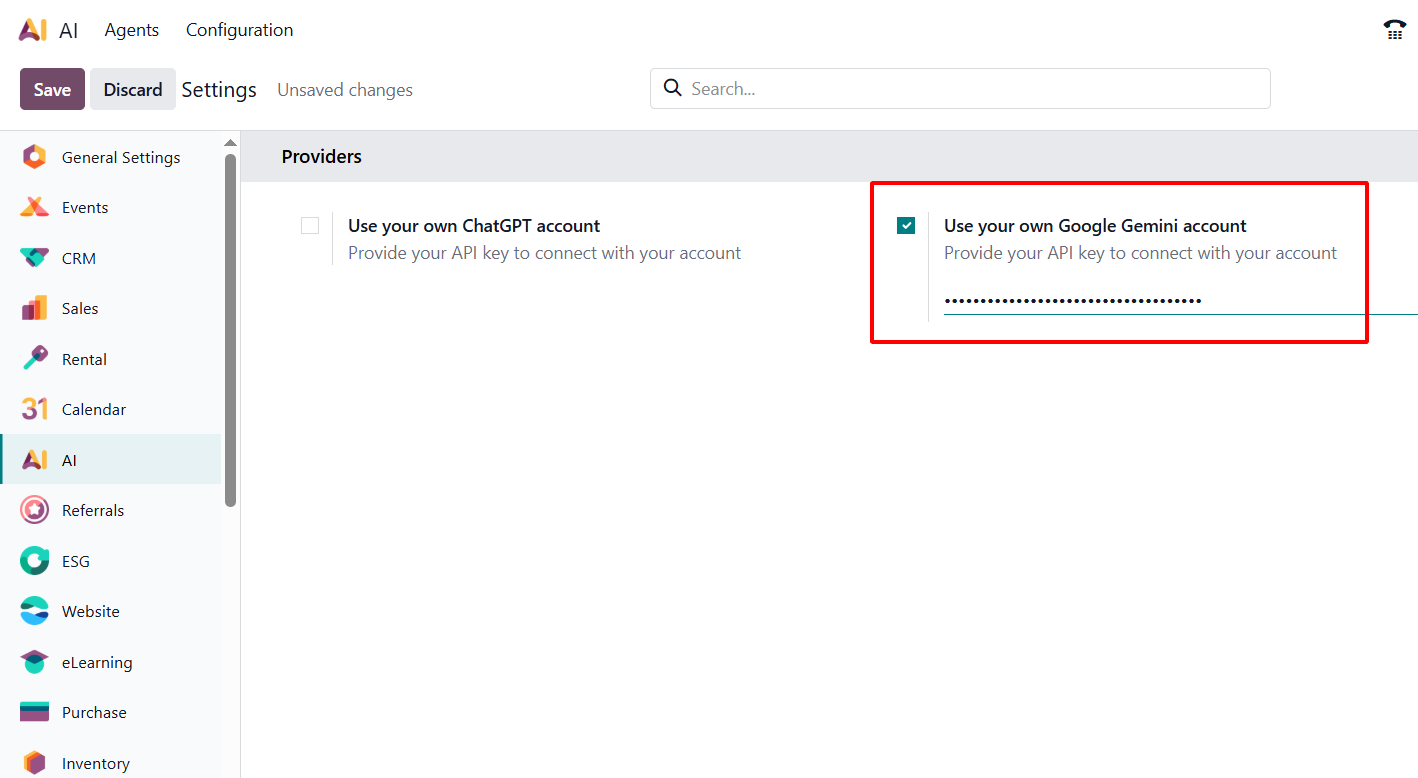
Once you link your source account key (Gemini or ChatGPT) in the AI Agent configuration, your added articles will become active and ready for the AI to use
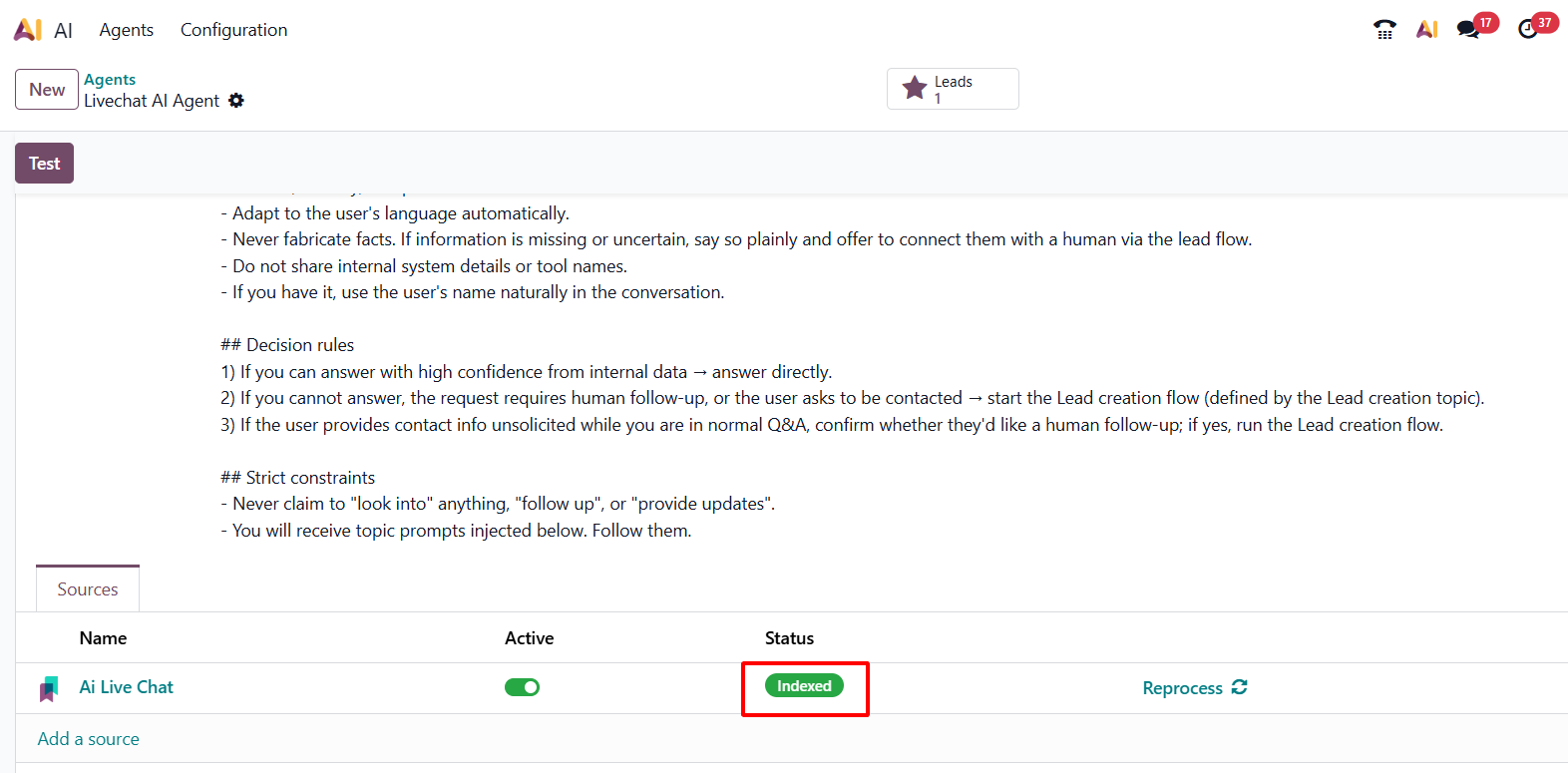
Confirm the source status is Indexed before testing the Livechat AI Agent.
Link AI Agent to Live Chat Channel
Go to Live Chat Channels
Live Chat → Channels → New
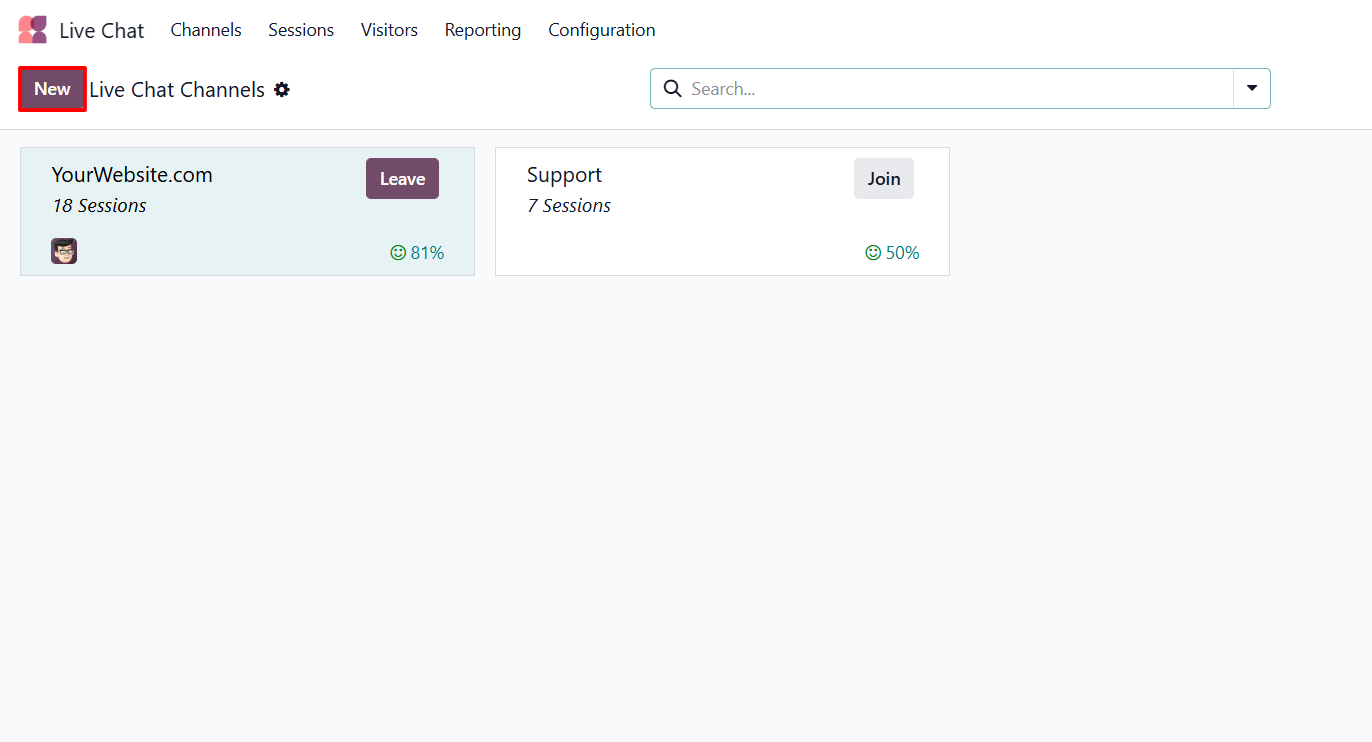
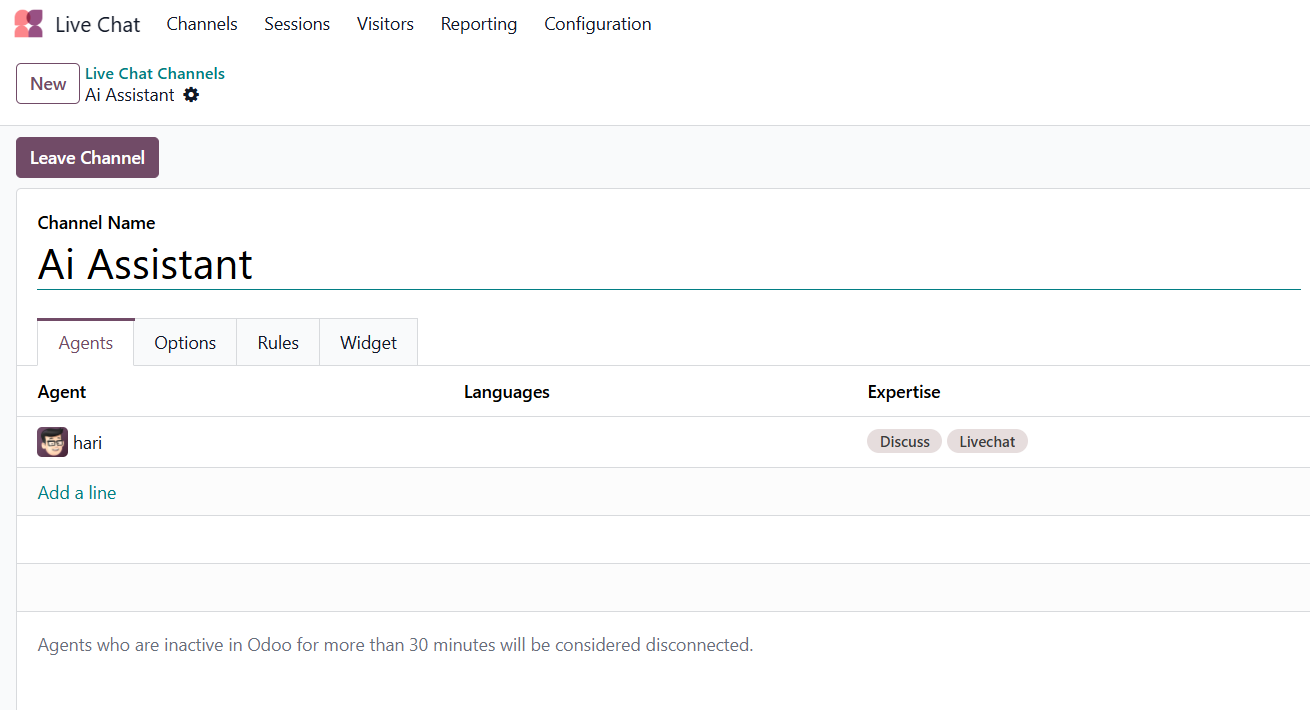
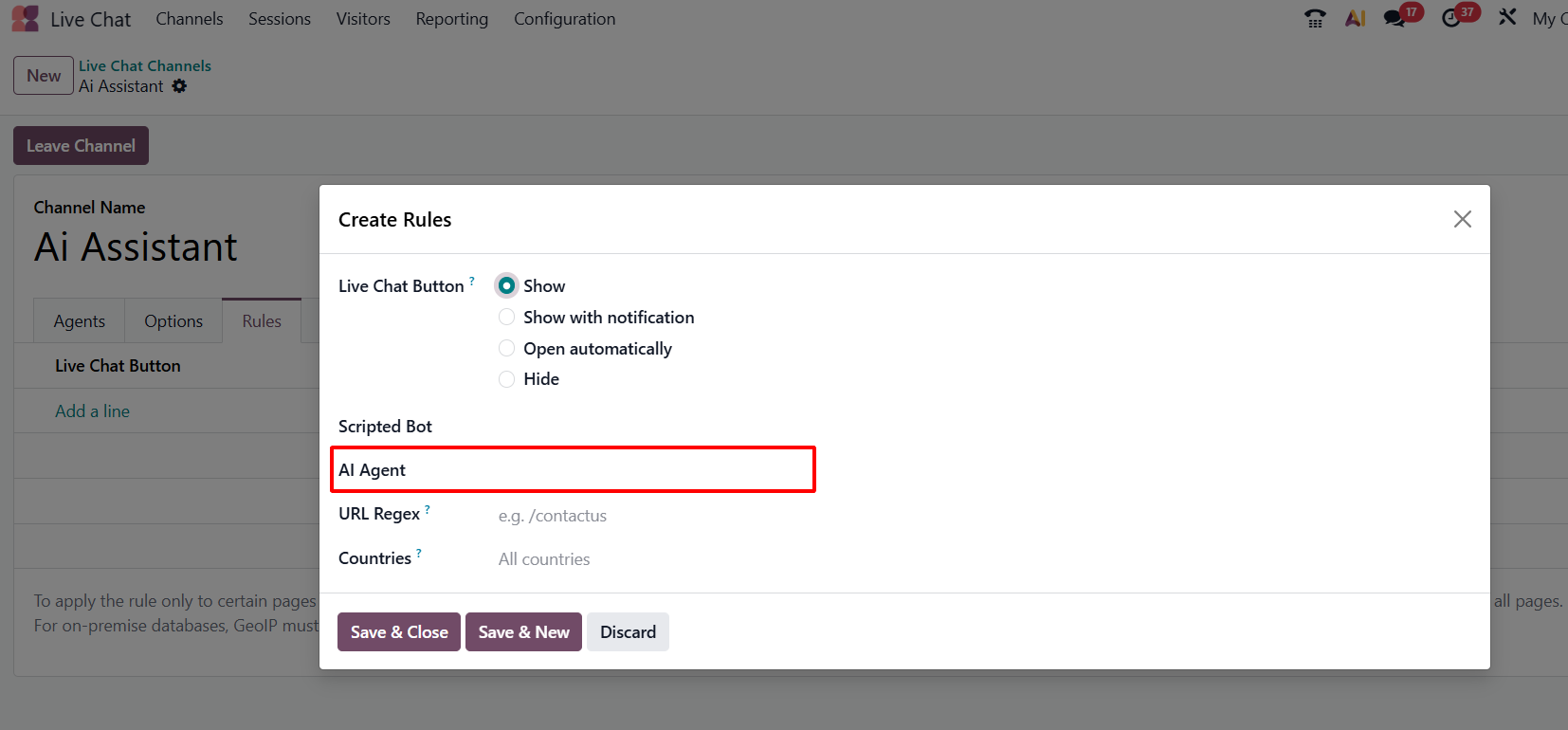
Give your channel a name, then go to the Rules section and add the AI Agent that you created earlier. This ensures that all customer queries on this channel are handled by your AI using the verified Knowledge Articles and save it.
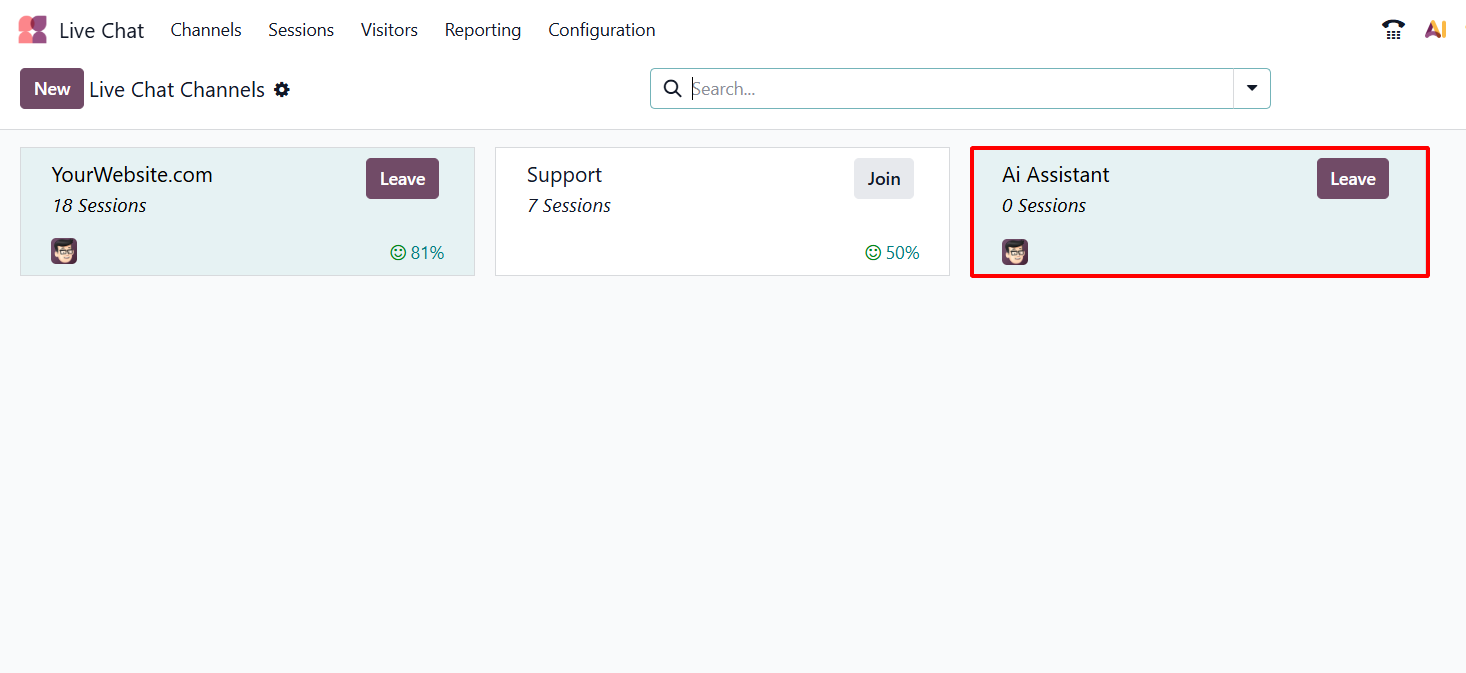
After Creating the rules. Finally, click Join Channel to activate the AI on your Live Chat. Your AI Agent is now ready to handle customer queries in real time.
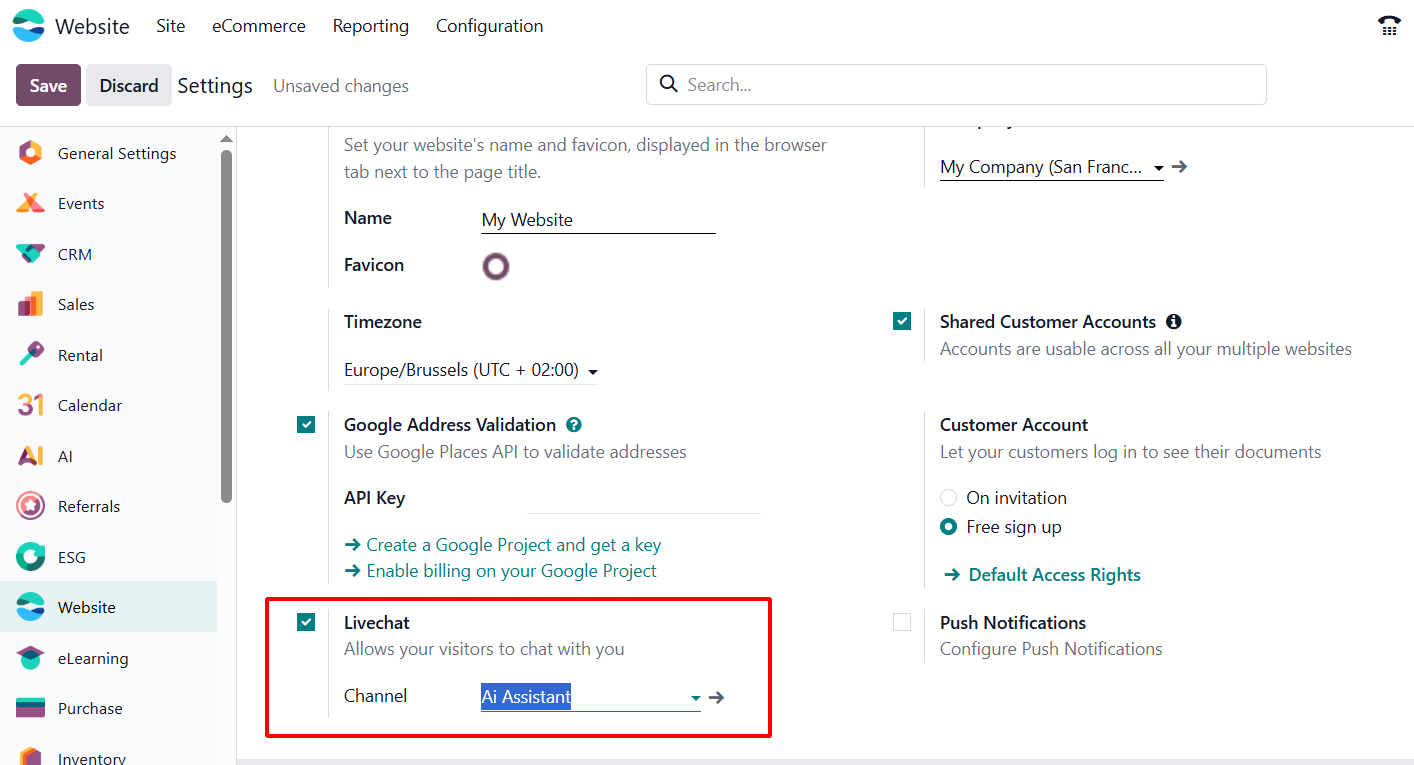
After joining the channel, go to Website → Configuration → Settings → Live Chat.
In the Live Chat section, add the channel you just created. This ensures that your website visitors can access the AI-powered chat through the assigned channel and save.
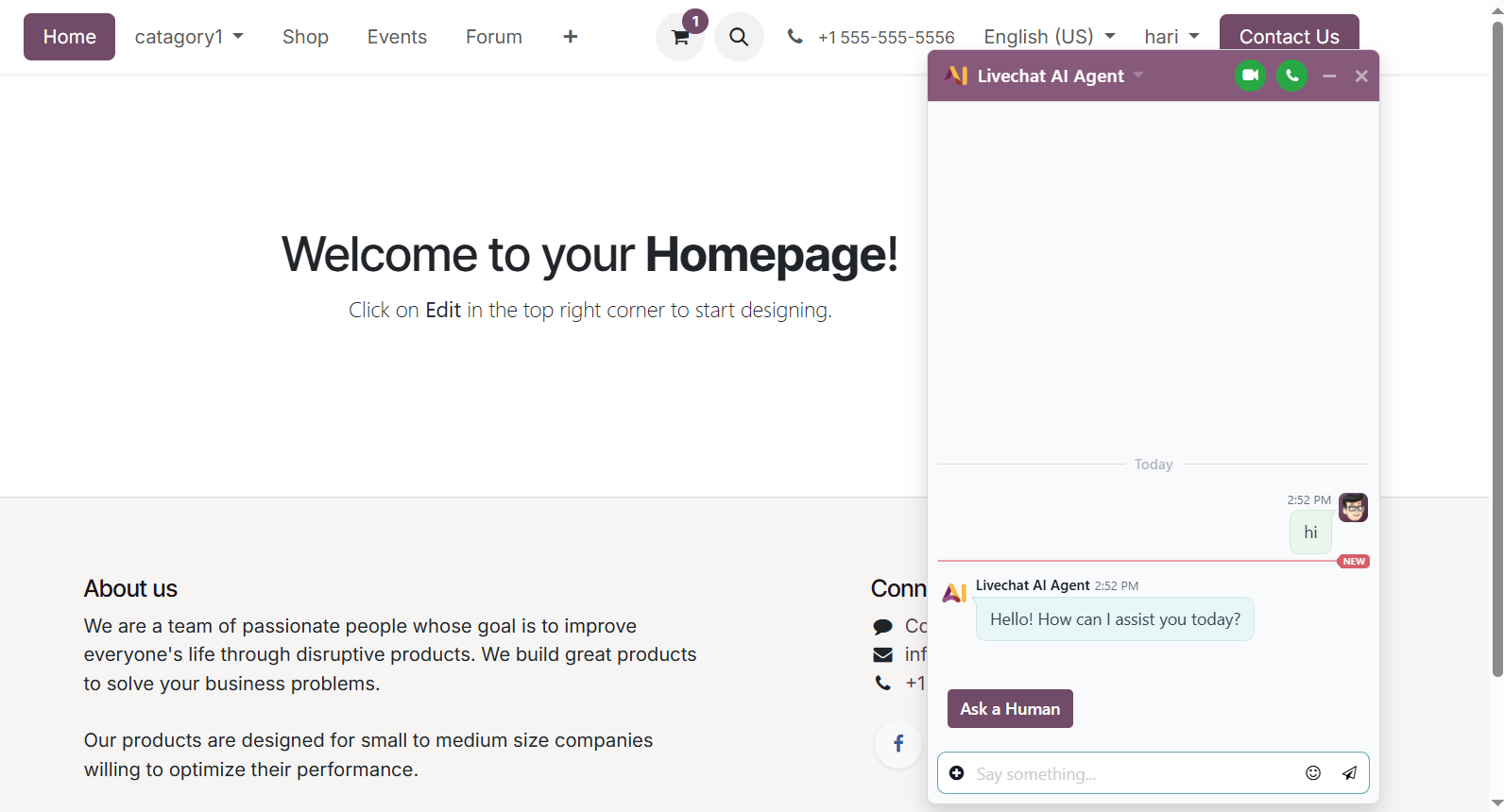
Now, move to your website homepage u will see chat icon click here and ask your questions
Configuring Odoo AI Chat is a practical way to automate customer support and improve the overall response process. By preparing clear Knowledge Articles, creating an AI Agent, adding verified sources, and linking it with the Live Chat channel, businesses can provide instant and reliable answers to website visitors.
Once the sources are indexed and the AI Agent is connected properly, the system can handle common customer questions in real time while reducing the manual workload for the support team. This helps improve response speed, maintain consistent communication, and deliver a more professional customer service experience.