Standard path
Normal support
- Day-to-day questions and configuration help
- Non-blocking bugs and improvements
- Training, guidance, and planned changes
- Shared queue with scheduled follow-up

Mountsol Care Priority escalation lane
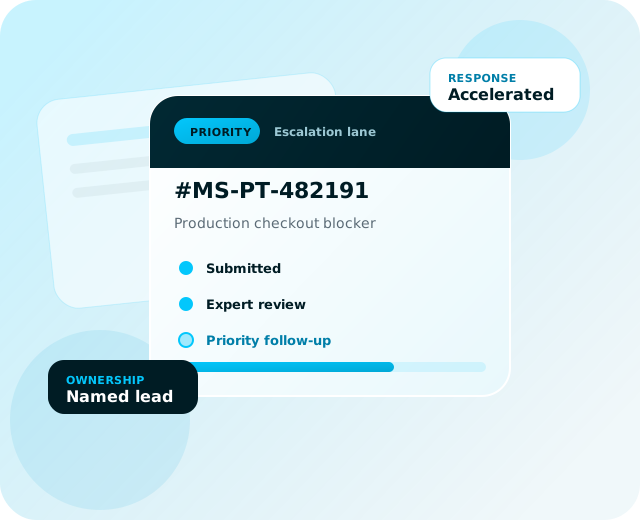
Priority Ticket is Mountsol’s escalation path for production blockers and go-live risk — faster acknowledgment, senior visibility, and a tracked reference through follow-up.
Not for day-to-day questions. Use AI-Powered Support or standard consultation for non-blocking work.
Reviewed by Mountsol specialists
Share the critical concern. You’ll receive a reference ID after submission.
Reviewed by Mountsol Leadership Team
Use this form for critical project concerns that require direct leadership review and priority follow-up.
Leadership review path
This path is for important matters that need senior attention and clear ownership.
Clear distinction
Choose the right lane so urgent work gets attention — without flooding the escalation path.
Standard path
Escalation lane
Escalation path
Three clear steps from concern to priority follow-up — designed for speed without chaos.
Share project context, contact details, and the critical issue that needs escalation.
Mountsol specialists review urgency, impact, and the right ownership for fast action.
You receive a reference ID and priority follow-up until the blocker is owned and moving.
Why Priority Ticket
Faster response, direct ownership, senior visibility, and clear escalation tracking — matched with clear guidance on when to use the lane.

What you get
Urgent work surfaces above the standard queue.
Named Mountsol practitioners own the escalation.
Critical concerns get leadership-aware review.
Every submission is logged with a reference number.
Guidance
Use this lane when delay creates real business impact — not for convenience.
Questions
What Mountsol teams ask before opening the escalation lane.
Production blockers, go-live emergencies, and business-critical defects — anything where checkout, invoicing, inventory, or another core flow is down or revenue is actively at risk. Day-to-day questions and non-blocking work belong in AI-Powered Support or standard consultation.
Priority Ticket surfaces above the standard support queue for an accelerated acknowledgment. A named Mountsol practitioner reviews urgency and impact, then takes ownership — you are not left waiting in a shared queue.
It’s a deliberate confirmation step. Priority Ticket is a senior-visibility escalation lane, so we ask you to confirm the request is genuinely urgent before it is routed — this keeps the lane fast for everyone using it correctly.
You’ll see an on-screen confirmation with a reference ID (format MS-PT-XXXXXXXX) and receive it by email. Mountsol specialists then review the escalation and follow up using the contact details you provided.
Yes. Keep the reference ID from your confirmation screen or email — quote it in any follow-up so Mountsol can immediately locate your escalation and its current ownership status.
Use AI-Powered Support or standard consultation instead. Keeping the Priority lane reserved for genuine blockers is what keeps it fast for critical, time-sensitive issues.