
Introduction
Inventory is more than a quantity shown on a warehouse screen. It is a financial asset whose value directly influences the Balance Sheet, Cost of Goods Sold, Gross Profit, and Management Decisions. When purchase prices change, products move between locations, or goods are sold, the value assigned to the remaining stock can change as well.
Odoo 19 brings inventory operations and accounting closer together by providing configurable valuation and costing methods. This allows businesses to choose how stock is valued and how that value is reflected in their accounting records. The result is a clearer connection between physical stock movements and financial reporting.
This guide explains inventory valuation in Odoo 19 from both a functional and accounting perspective. It covers periodic and perpetual valuation, Standard Cost, FIFO, and Average Cost (AVCO), followed by practical purchase-to-sale workflows and recommendations for selecting the right approach.
What Is Inventory Valuation in Odoo 19?
Inventory valuation is the process of assigning a monetary value to the products currently held in stock. In Odoo 19, valuation is influenced by two separate decisions: the costing method used to calculate product value and the way that value is reflected in accounting.
For inventory operations, Odoo maintains valuation based on physical stock movements. Receipts increase inventory value, while deliveries reduce it according to the configured costing method. Under perpetual accounting valuation, accounting entries are generated as the relevant invoicing process is completed; under periodic valuation, accounting valuation is handled at closing.
1. Inventory Valuation Methods
1.1 Periodic (at closing)
Odoo 19’s Periodic (at closing) inventory valuation calculates and updates the value of inventory at the end of an accounting period instead of tracking stock value continuously. The cost of goods sold is determined during the period-end closing process, while inventory movements throughout the period do not generate automatic accounting entries. This method is generally suitable for businesses that do not require real-time inventory valuation and prefer a simpler approach to managing stock and accounting.
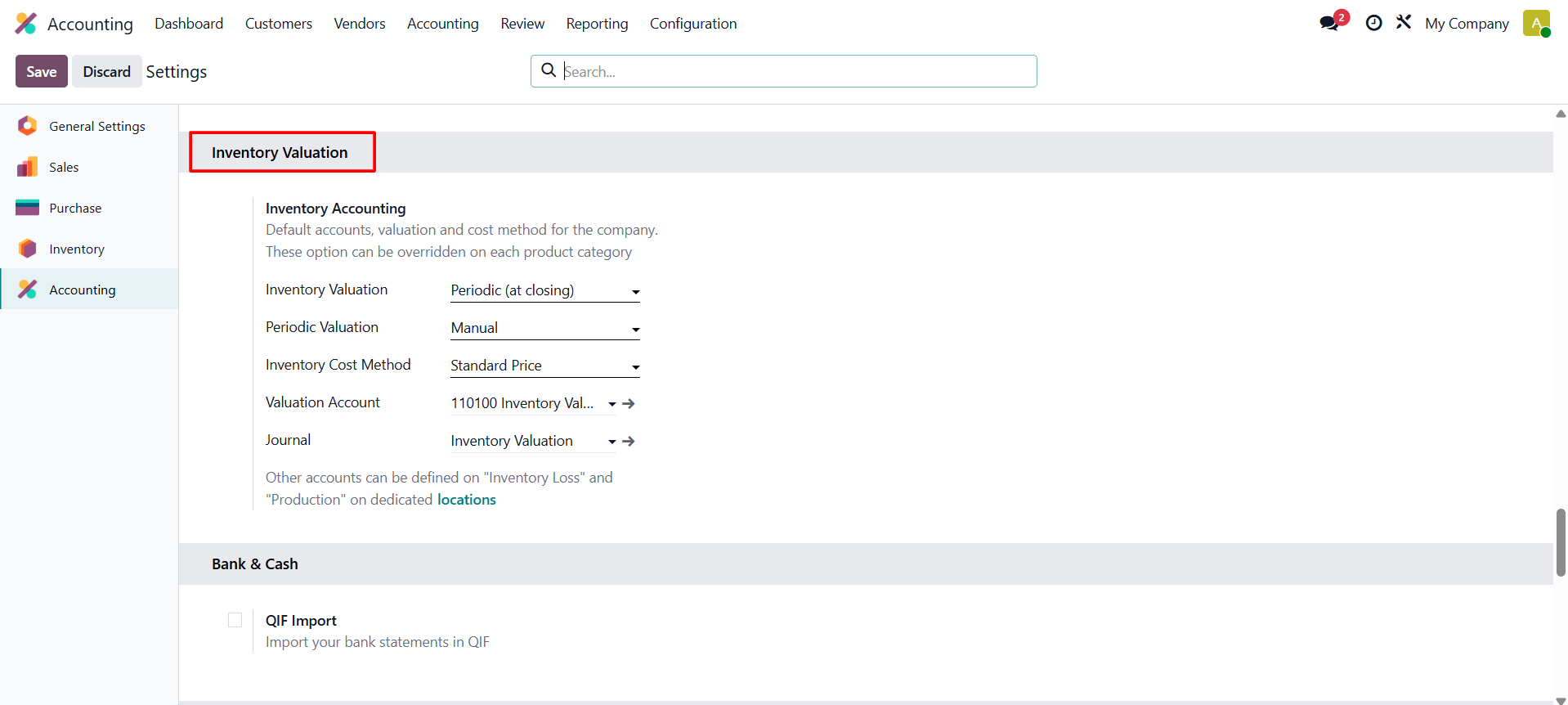
To enable this method, go to Settings and set Inventory Valuation to Periodic (at closing) at closure in the Settings to verify that the Inventory Valuation is periodic at closing.
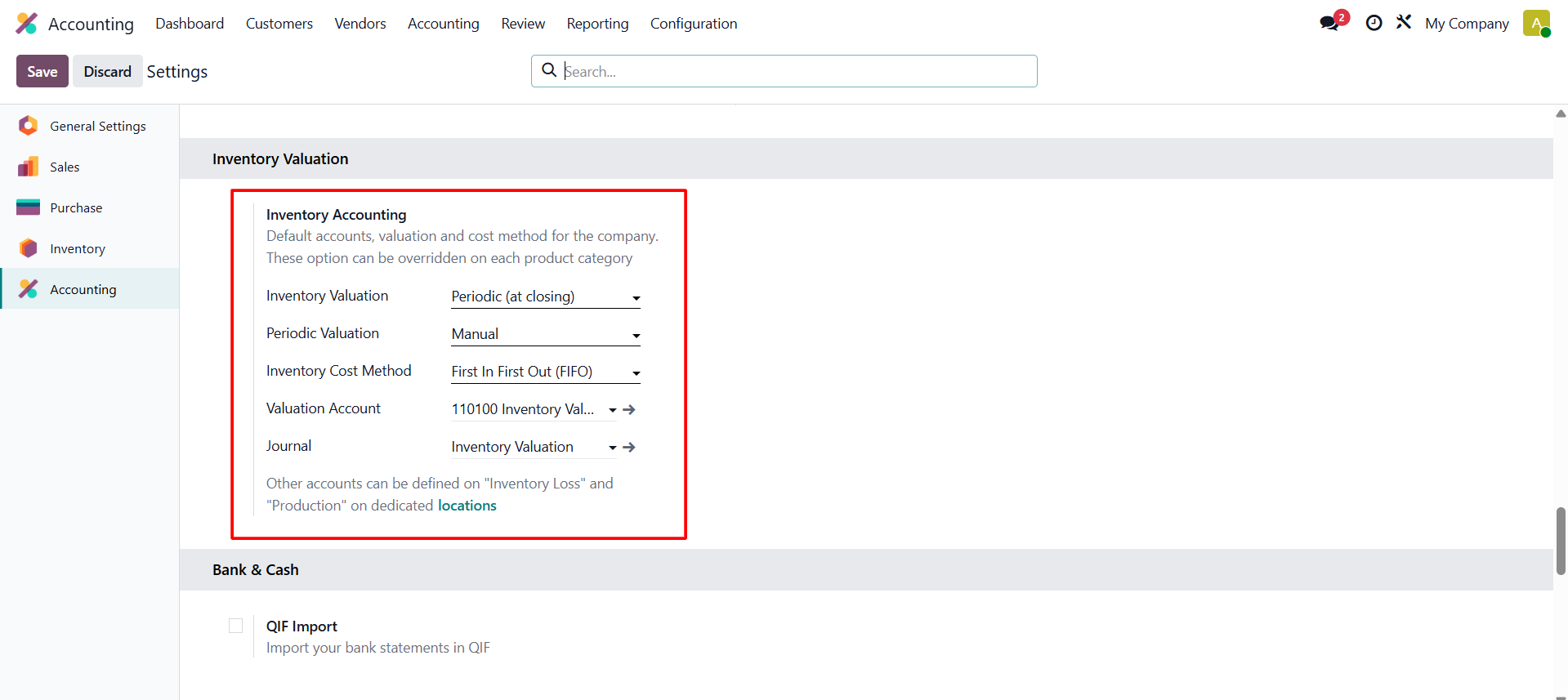
Here, the inventory costing technique is First in First Out (FIFO) and the periodic valuation is set to Manual. The valuation account and the stock journal are set there as shown in the above image.
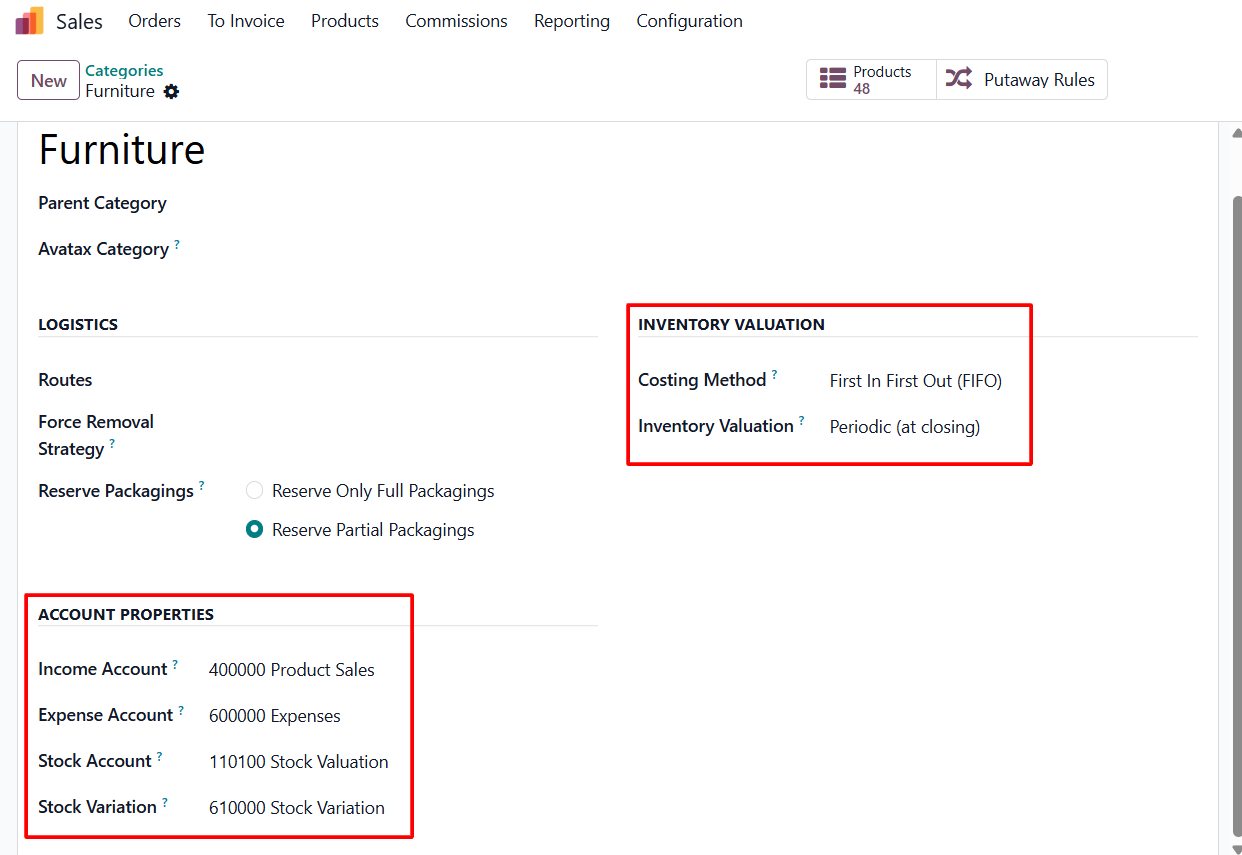
The Product Categories are included in the Inventory Valuation. These can also be set inside the Product Category. Here is a category named as “Furniture”, here the Inventory Valuation is set as Periodic (at closing).
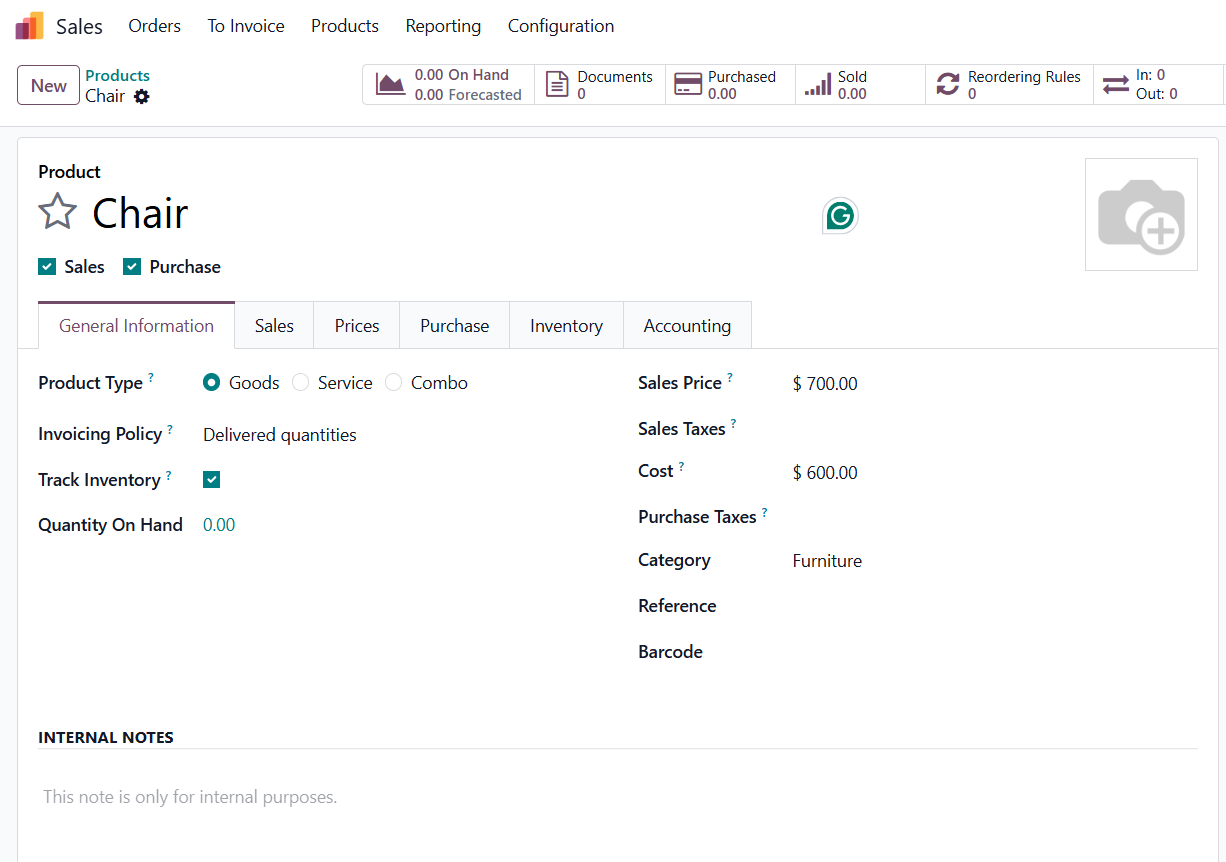
In this category, let's design a new product. Here, the product is just named as Chair. Which is a storable product. Currently, there is no quantity on hand.
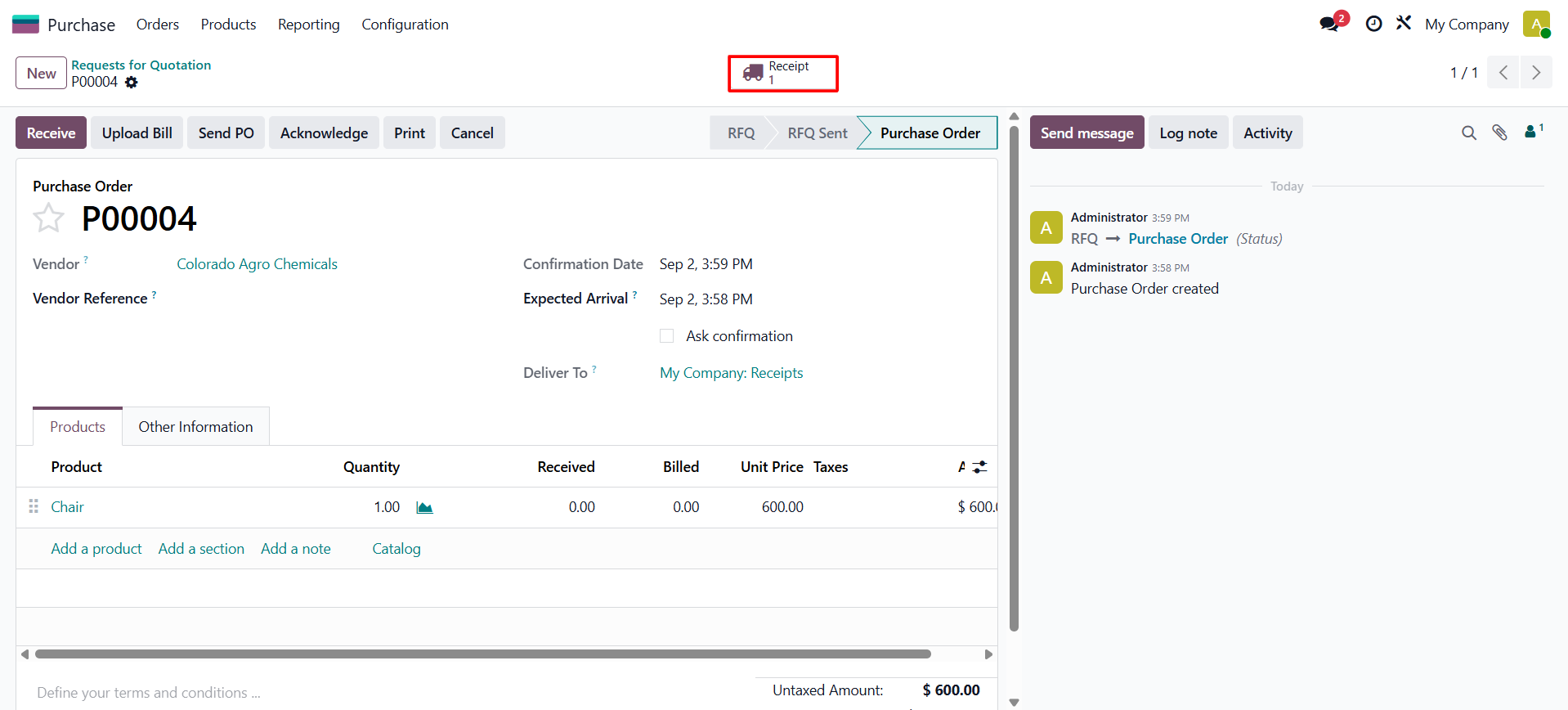
Let's purchase the product first. For that, they created a new purchase order. After adding the vendor information, add the product to the order line along with its quantity and unit pricing. Then confirm the request for quotation.
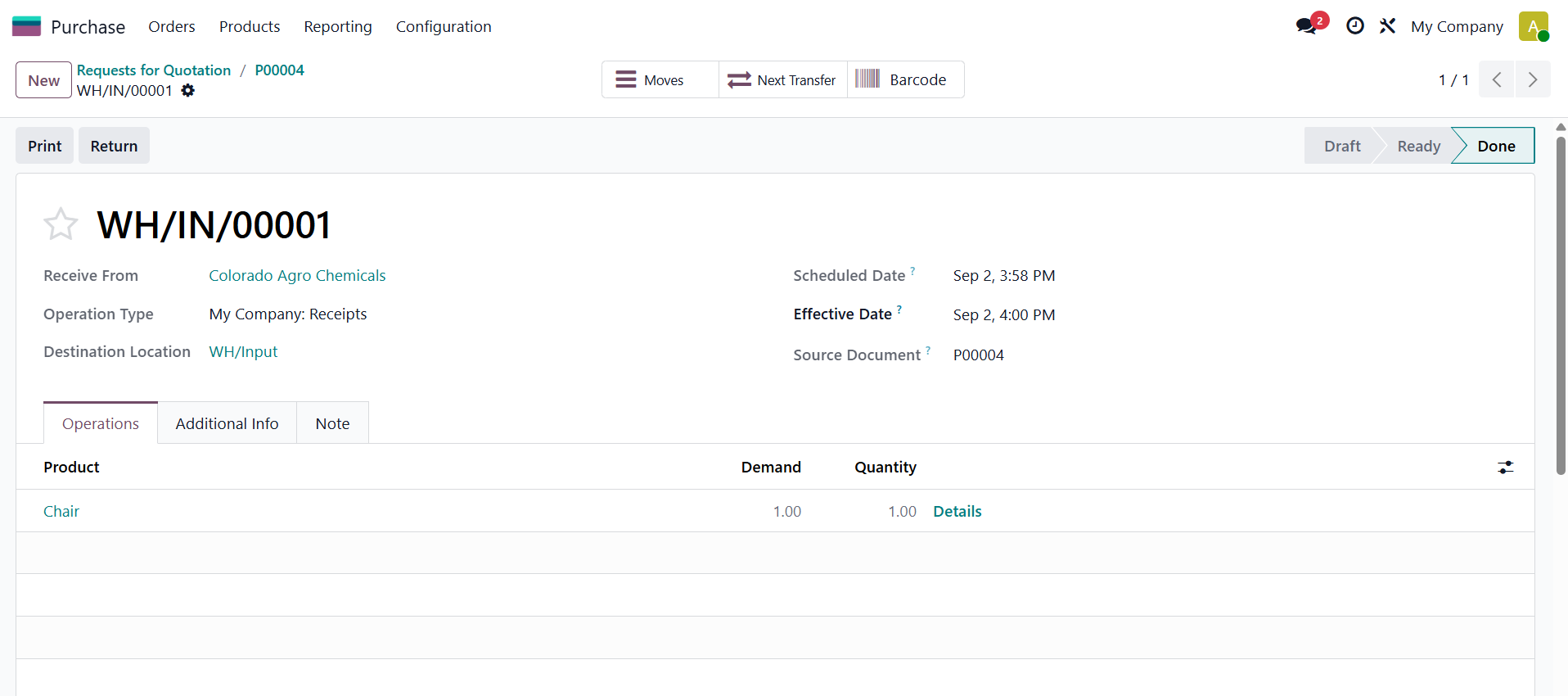
Then, to receive the product, click on the Receipt. Then, validate the receipt.
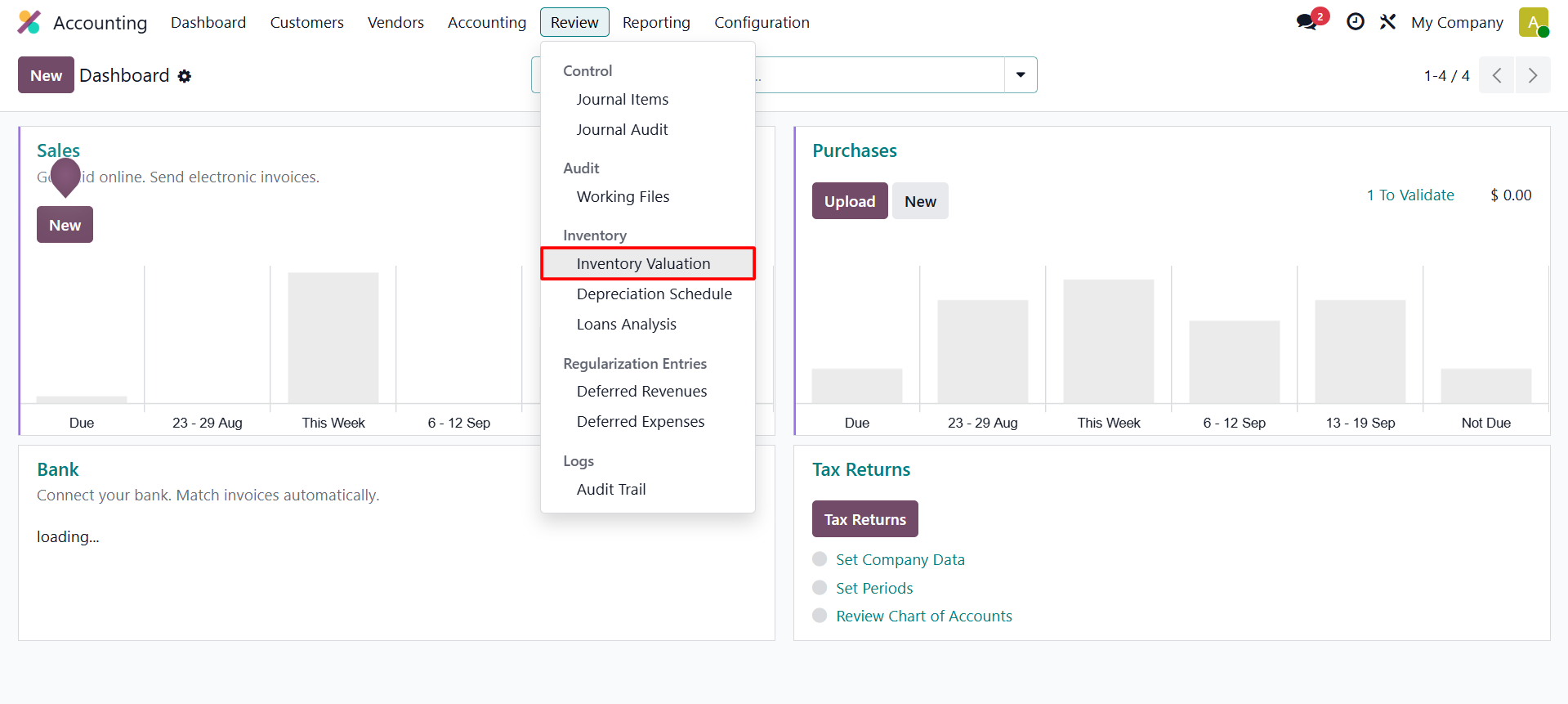
 Once the product has been received and added to the available inventory, you can review its valuation from the Accounting module. Navigate to Accounting → Review → Inventory Valuation to view the current inventory valuation details and verify the value assigned to the stock.
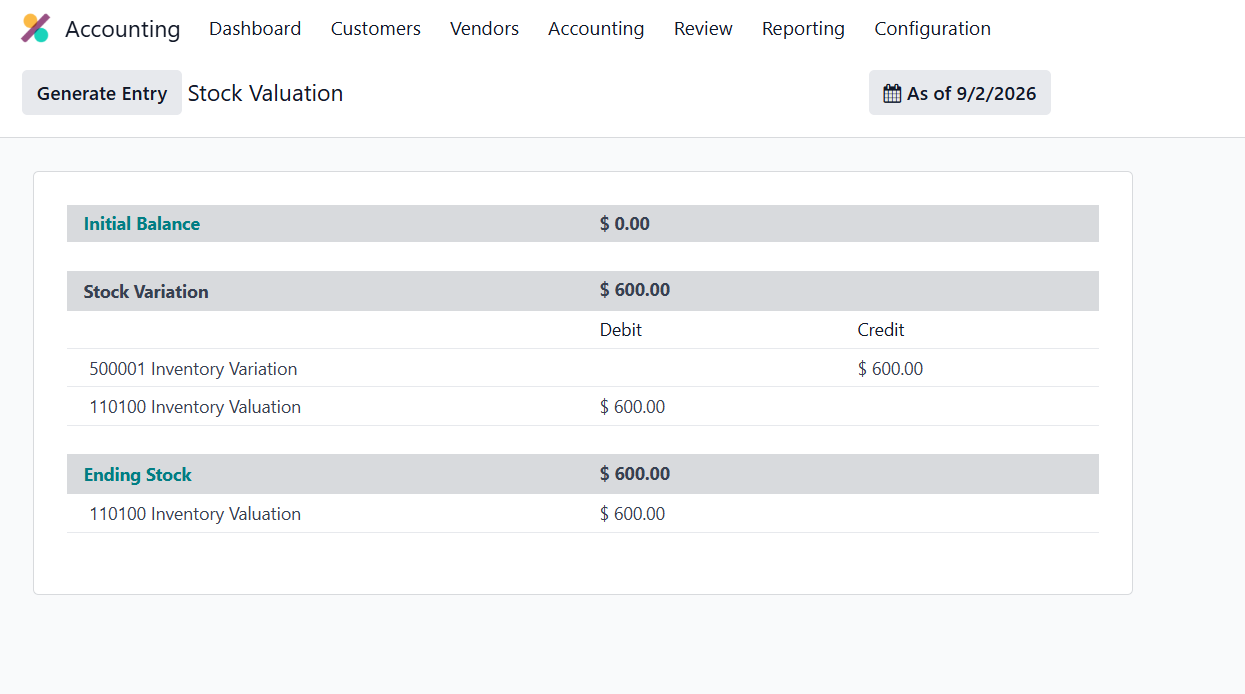
As shown above, the transaction affects two accounts: Inventory Valuation and Inventory Variation. The Inventory Valuation account is debited to increase the recorded inventory value, while the Inventory Variation account is credited to reflect the corresponding change in stock value.
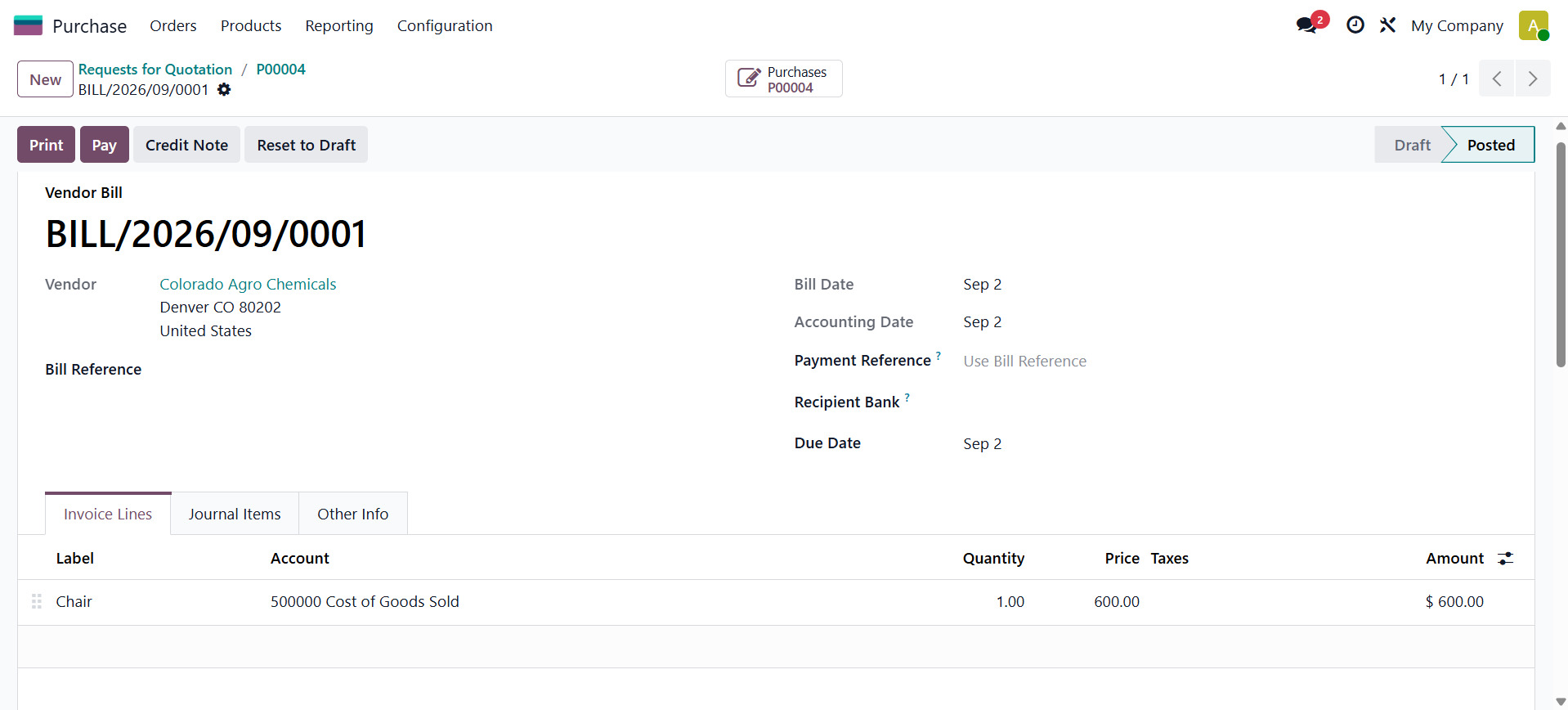
Let's complete the purchase; for that, the user needs to create a bill for the purchase. So let's upload the bill and confirm it.
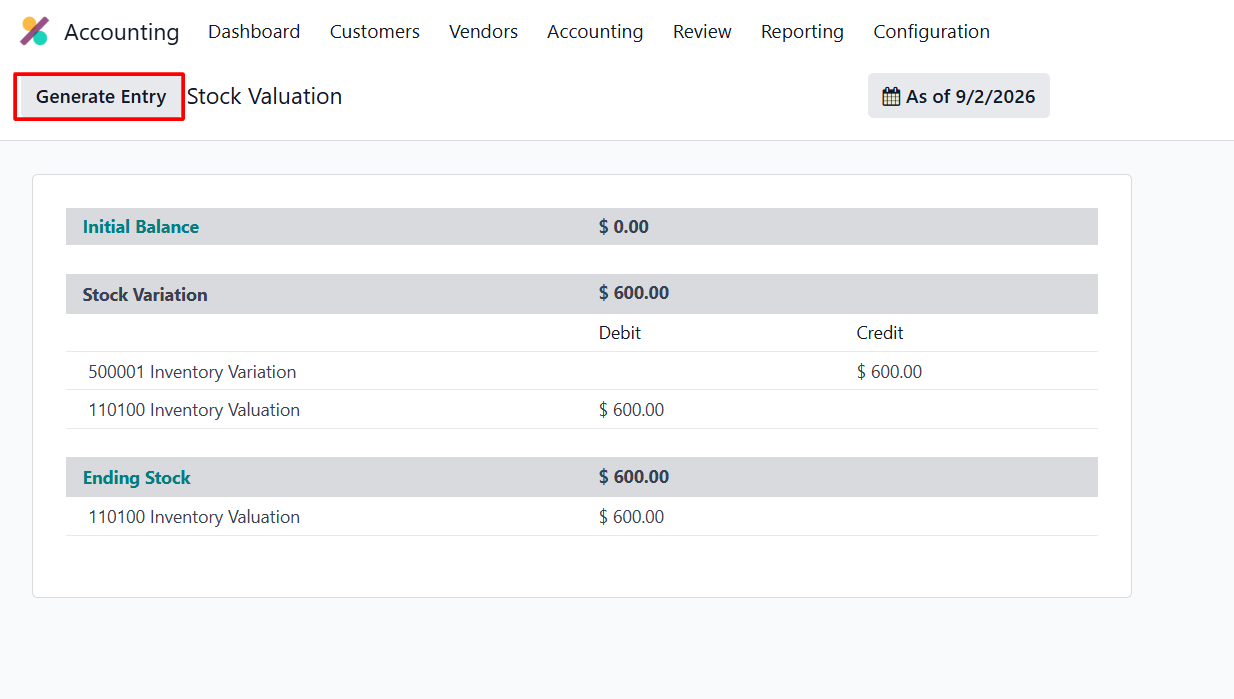
 After completing the required steps, return to the Inventory Valuation report. Click the Generate Entry button to create the corresponding stock journal entry for the inventory valuation.
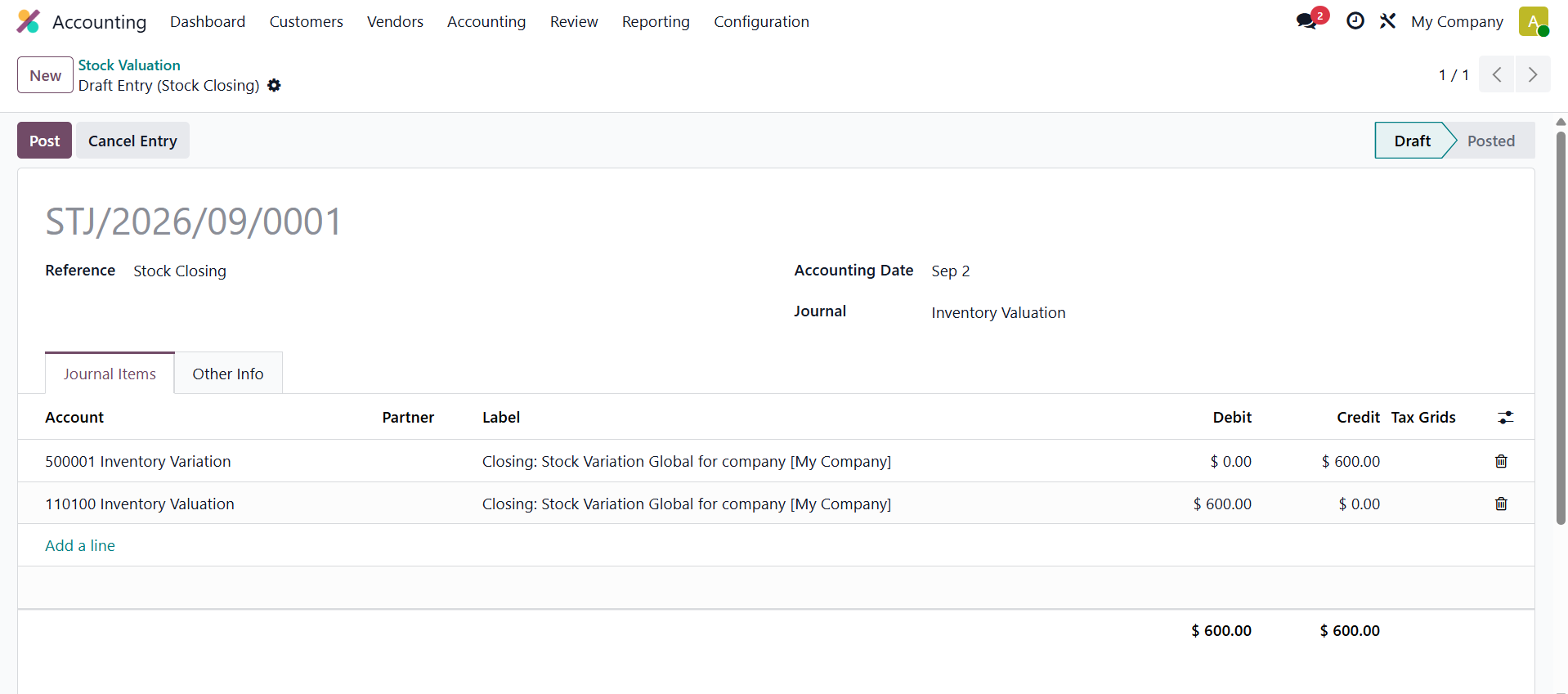
As a result, the stock closing entry will appear as follows. As can be seen below, the Inventory Variation account is credited and the Inventory Valuation account is debited.
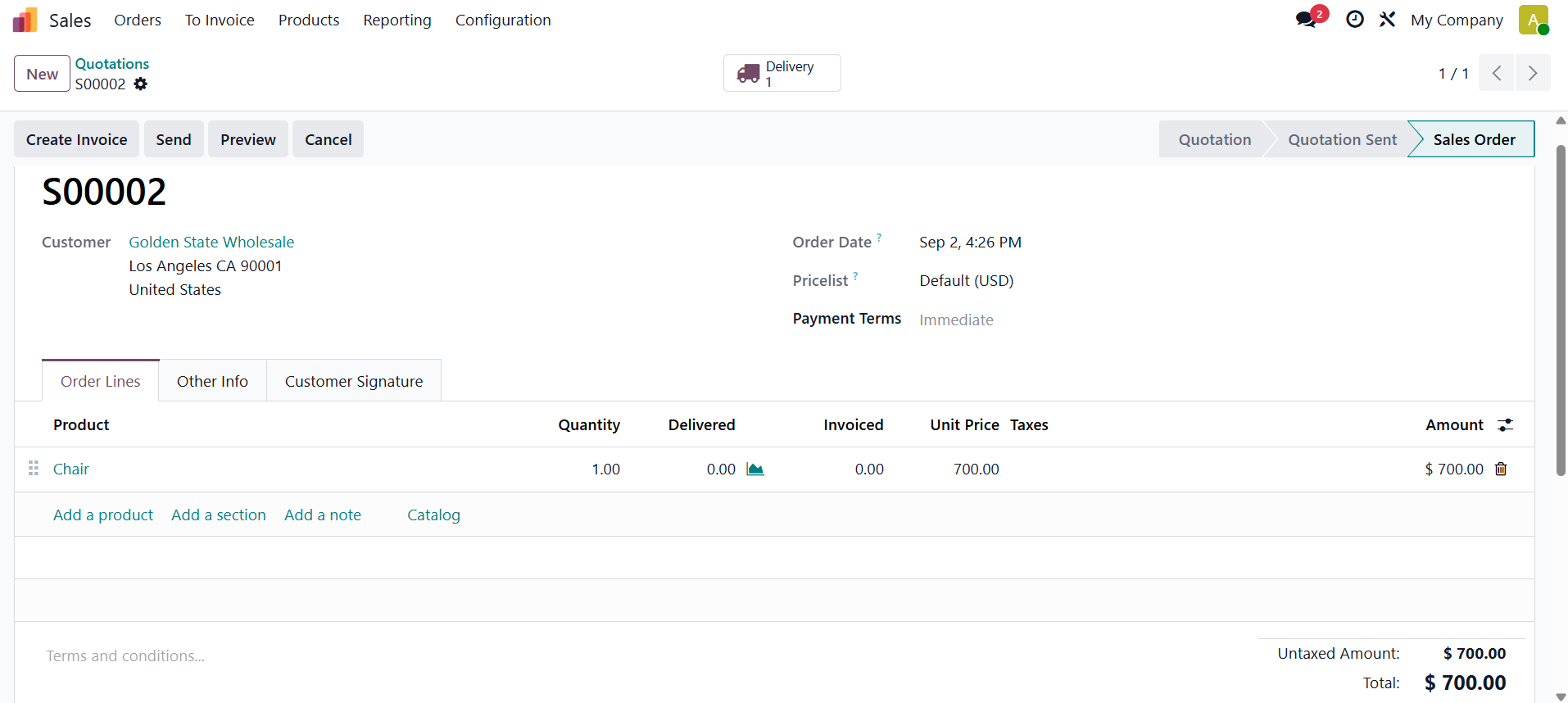
Next, create a sales quotation, select the customer, and add the product with the required quantity and unit price. Verify the details and click Confirm to confirm the sales order.
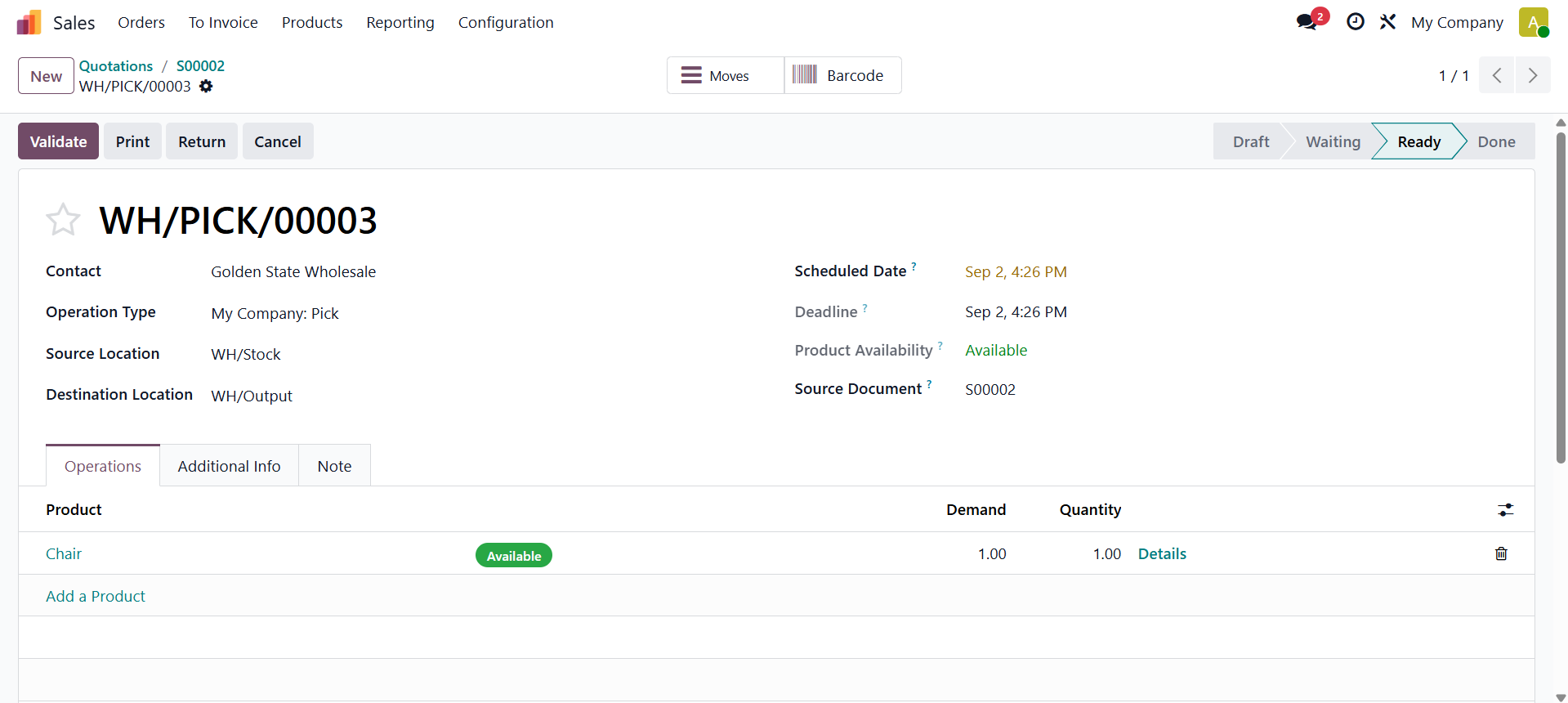
To send the product, click on the Validate button inside the Delivery.
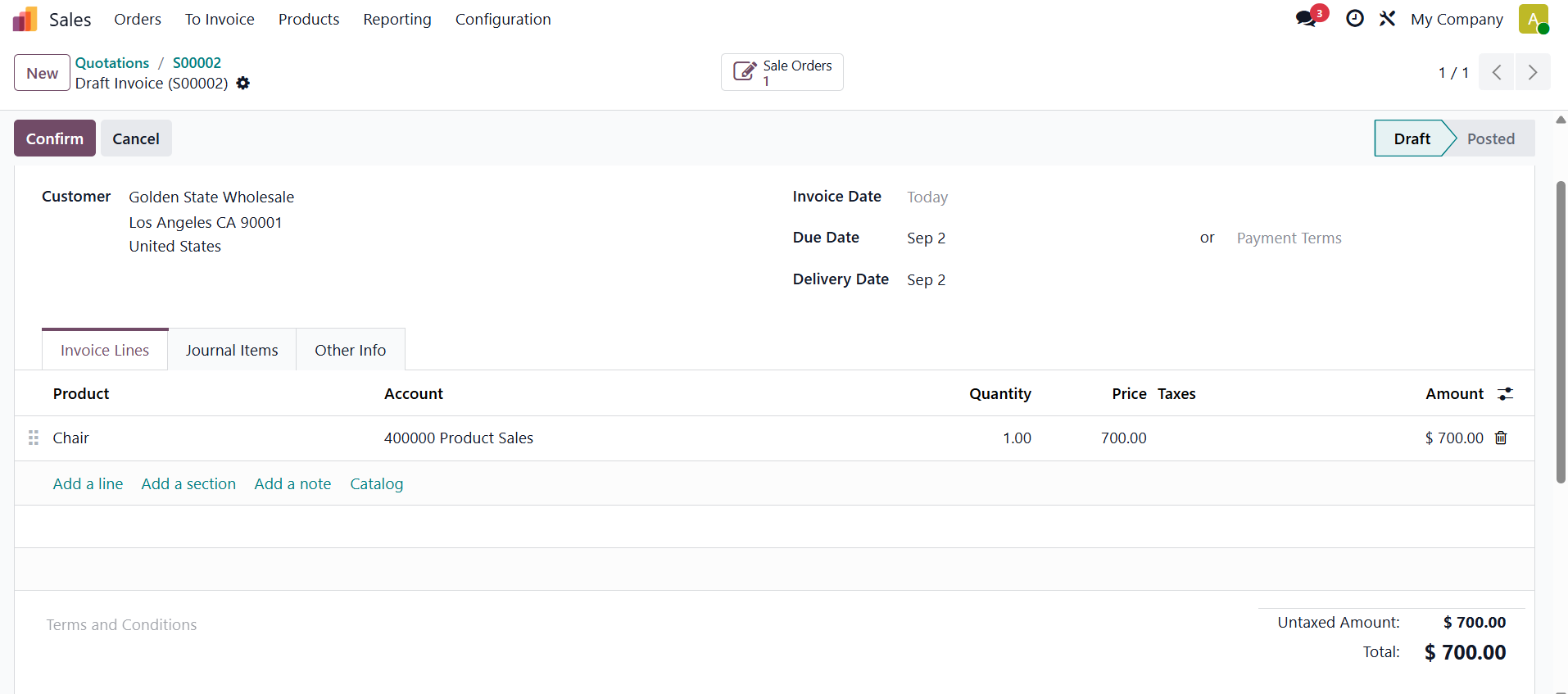
Produce an invoice from the sale order and confirming it.
Next, click Generate Entry to create the stock journal entry. Then, click Post button to post the journal entry.

1.2 Perpetual (at invoicing)
Perpetual (at invoicing) inventory valuation in Odoo 19 enables businesses to maintain accurate stock values and financial records without relying on period-end adjustments. The inventory value is updated whenever a vendor bill or customer invoice is confirmed. During the invoicing process, Odoo automatically generates accounting entries for cost of goods sold and stock valuation, ensuring that inventory and financial records remain updated in real time. This approach helps businesses achieve more accurate financial reporting and maintain reliable stock values throughout the accounting period.
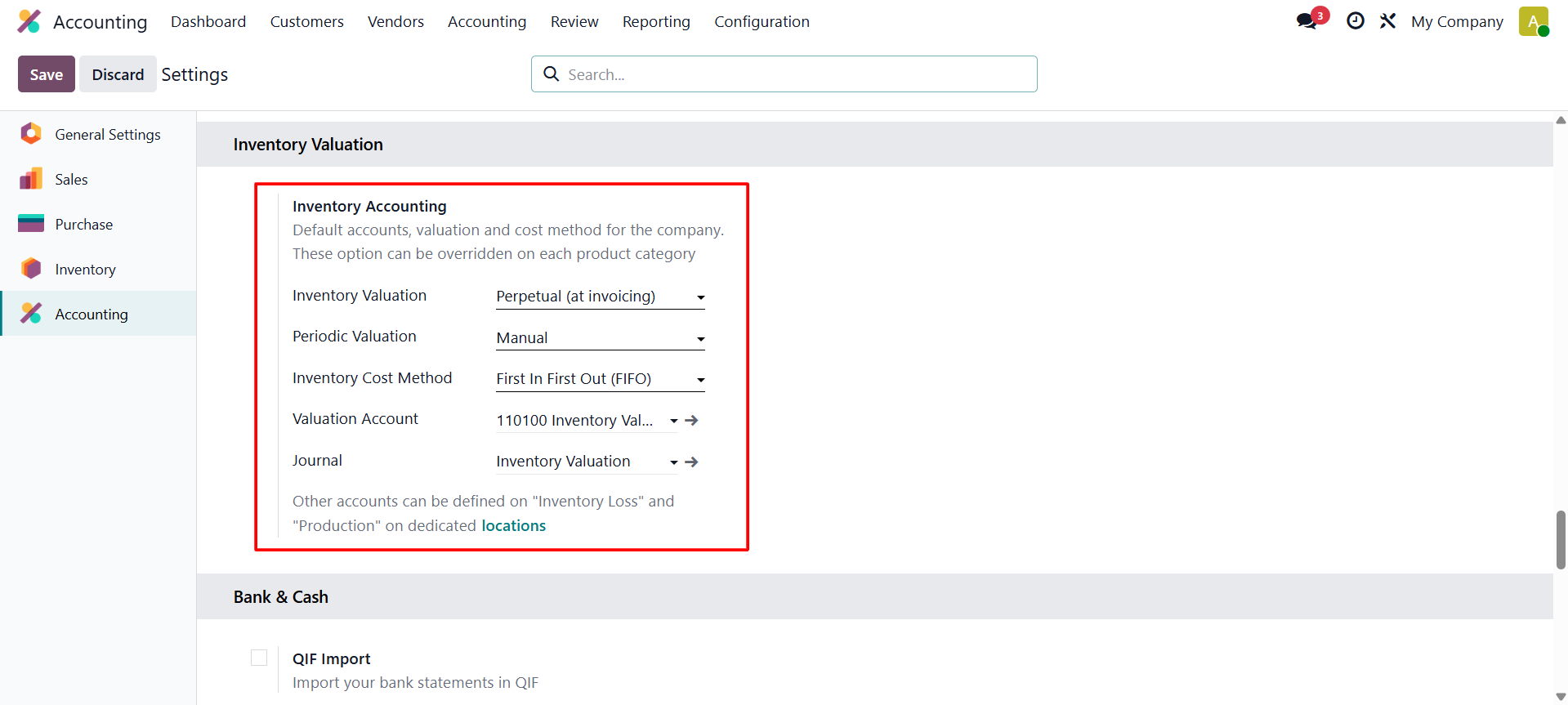
To configure this method, go to Settings and set Inventory Valuation to Perpetual (at Invoicing). Set Periodic Valuation to Manual, and select First In, First Out (FIFO) as the inventory costing method.
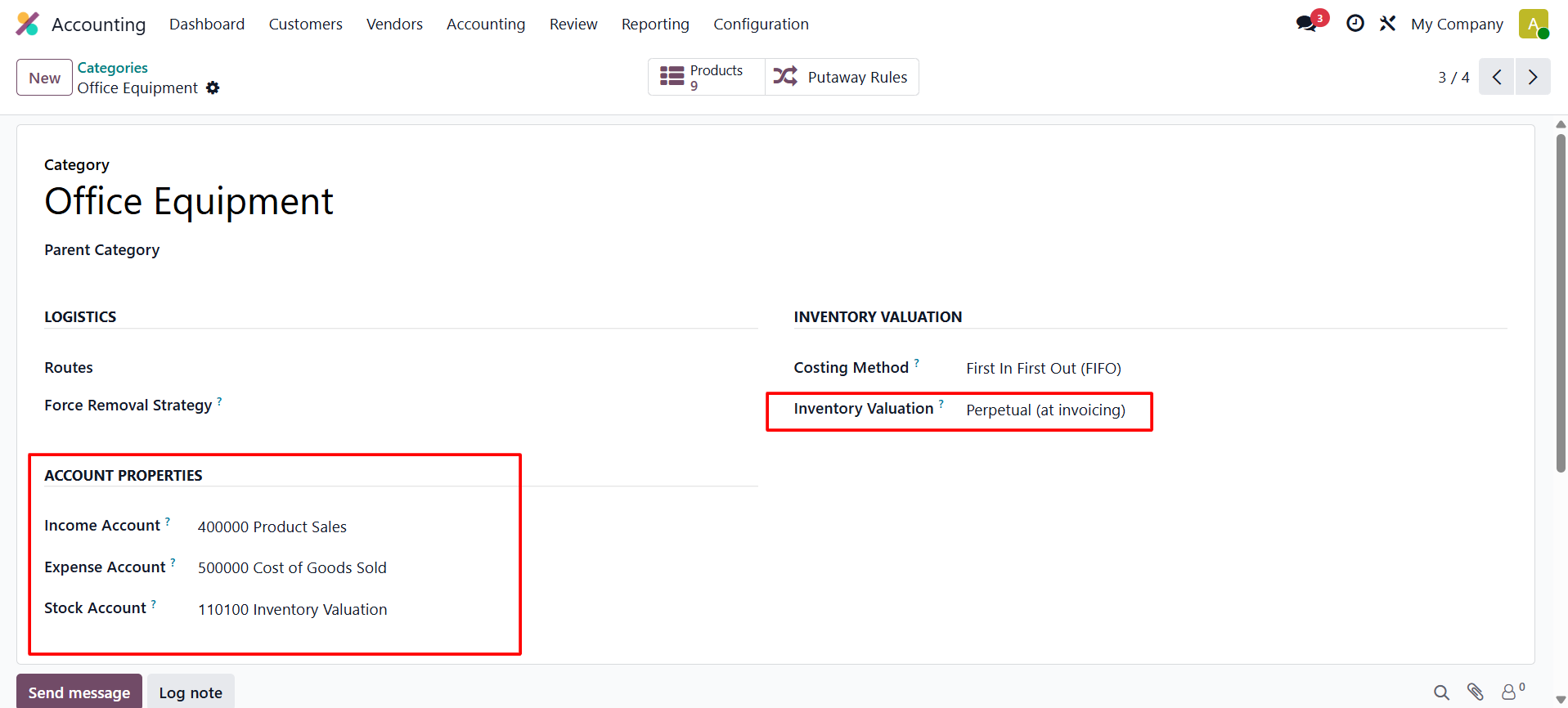
Let's create another product category. Which is named “Office Equipment".
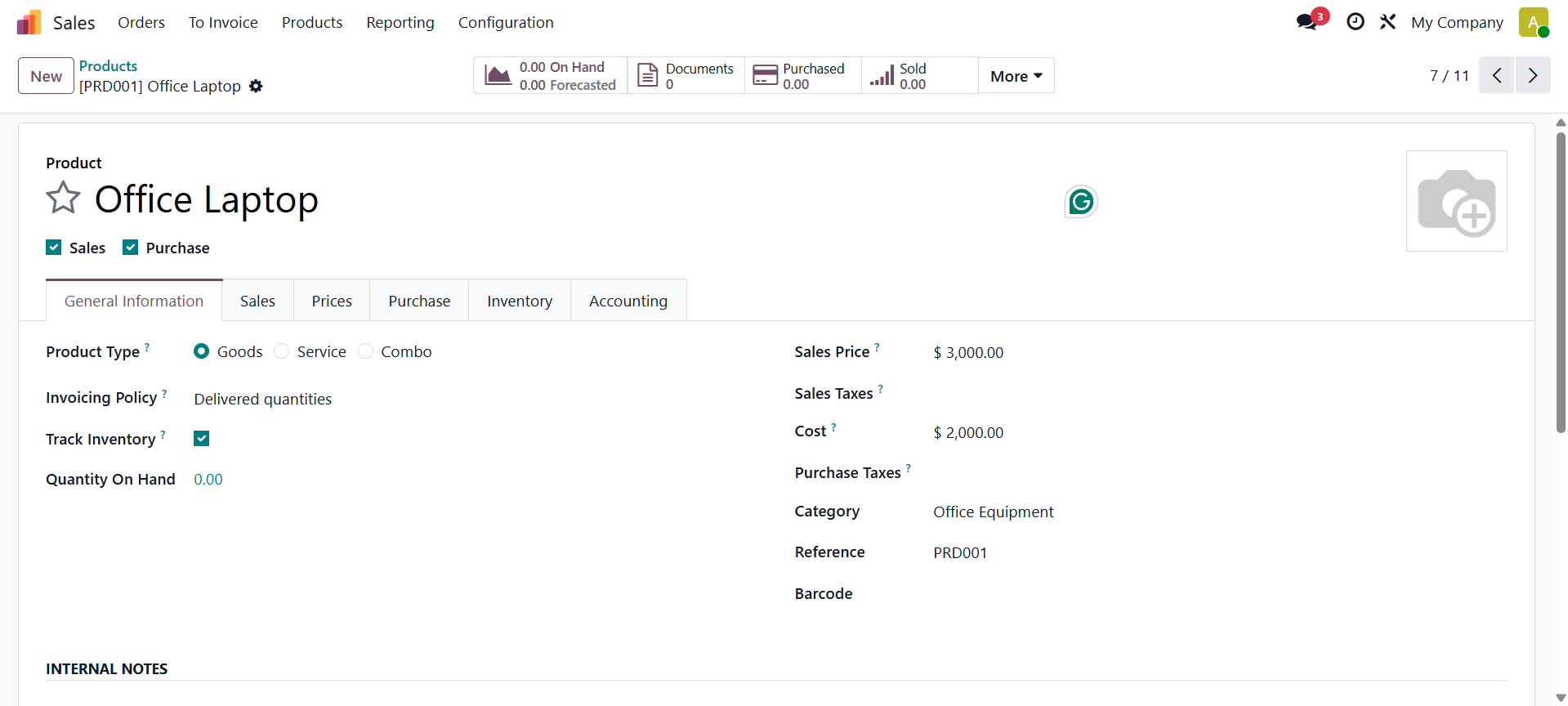
Here is a product named Office Laptop, under this category. Which is a storable product.
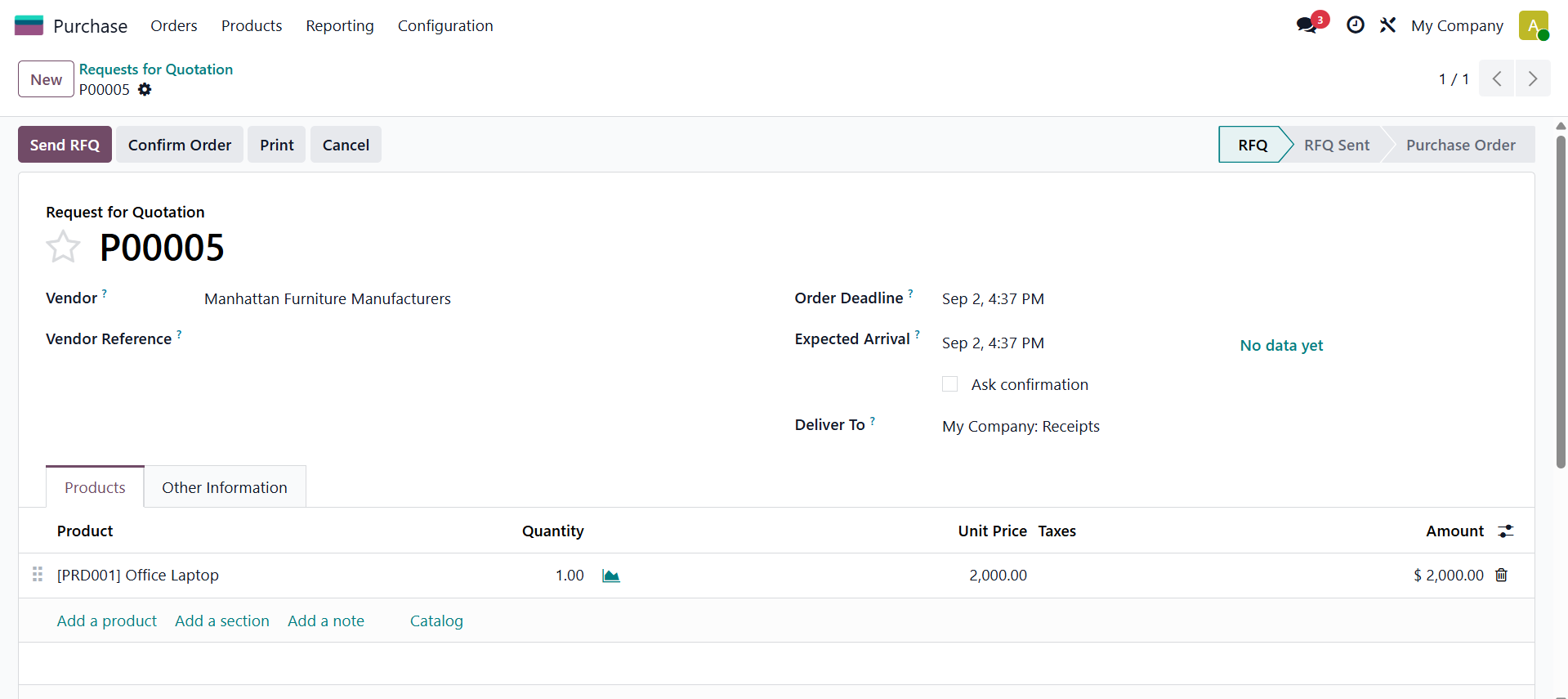
Create a purchase order for the product by entering the required details, including the vendor, bill date, product, quantity, and unit price. Once all the information is verified, confirm the RFQ to proceed with the purchase.
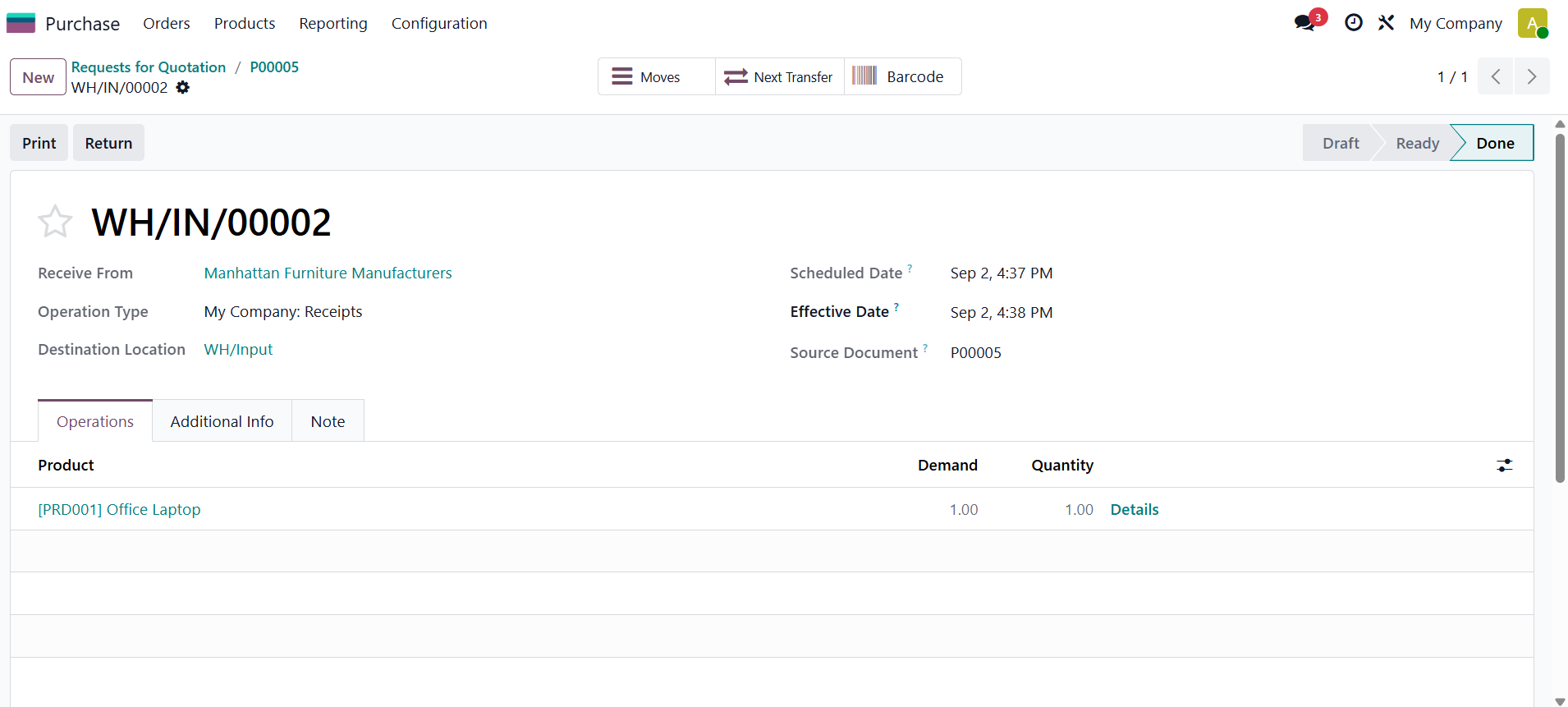
Then click on the Receive button, and then validate the receipt.
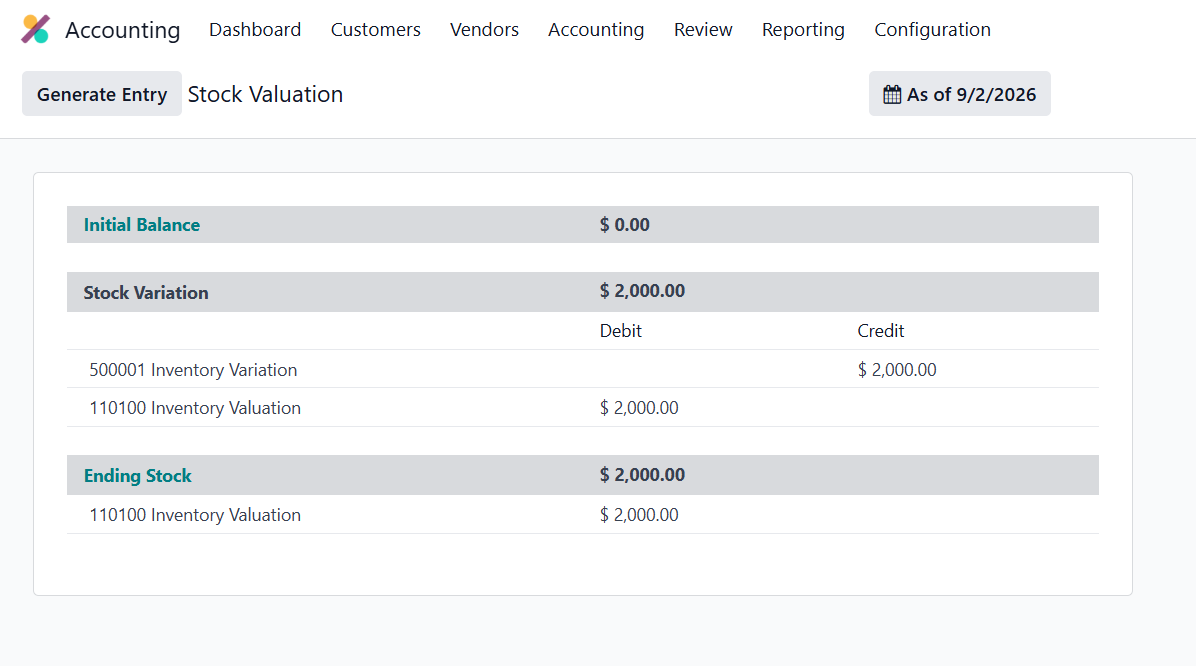
Check the Inventory Valuation from the Accounting module. Here, the Inventory Variation account is credited, and the Inventory Valuation account is debited.
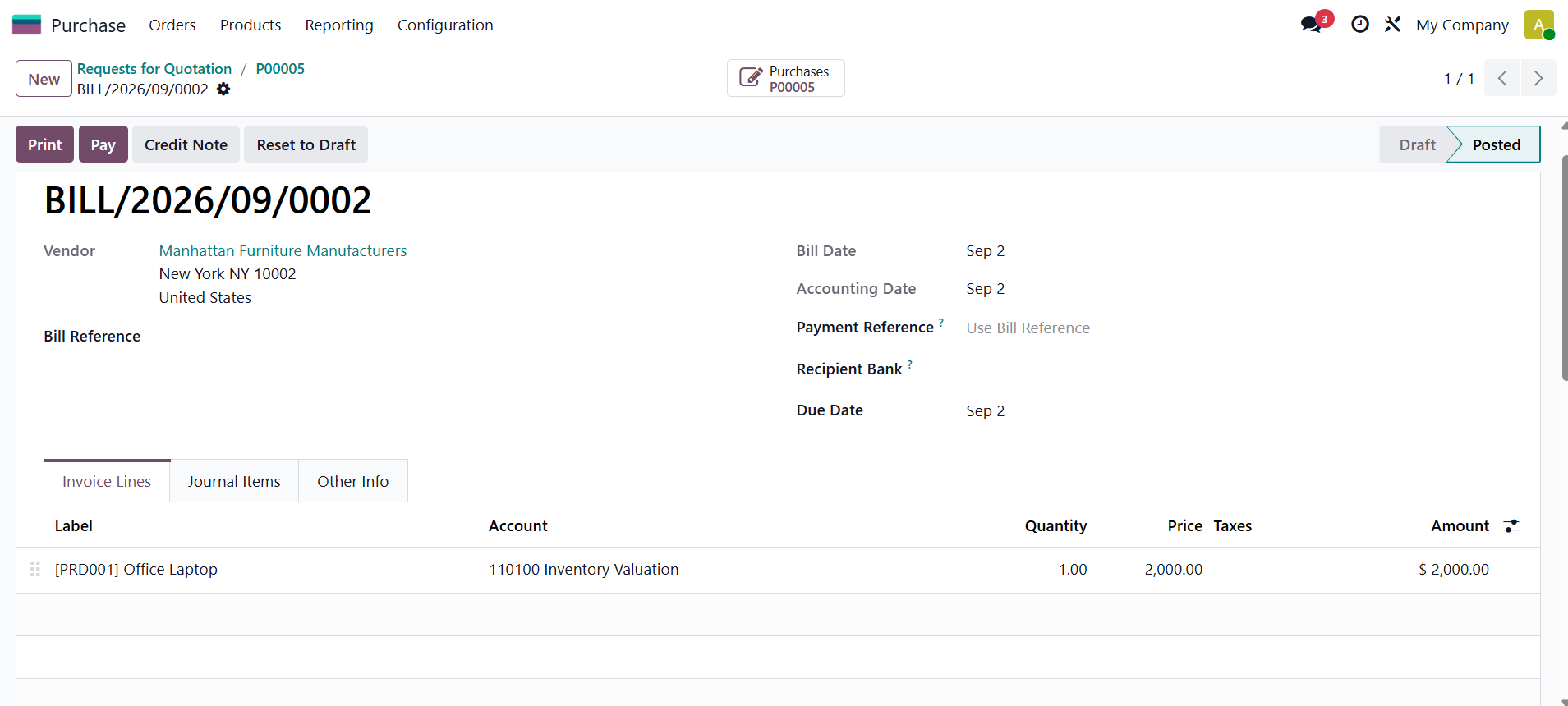
Then create a bill for the purchase. Confirm the bill.
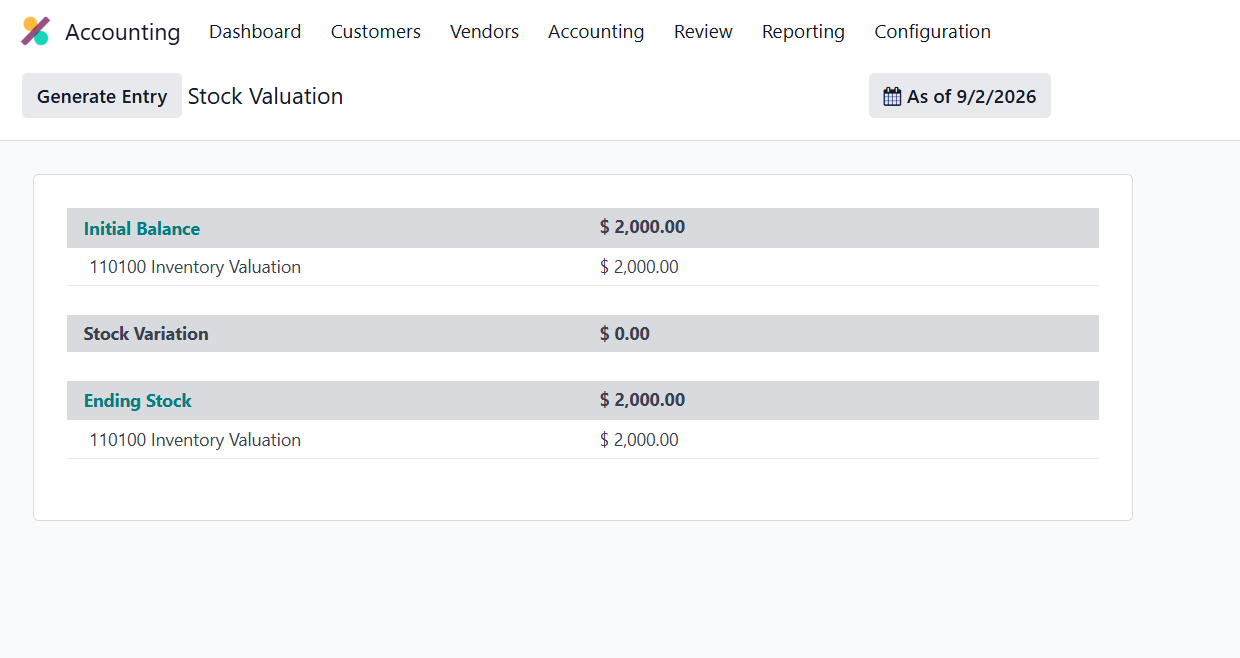
Then again, check the Inventory Valuation. Here, the Initial Balance is updated as shown below.
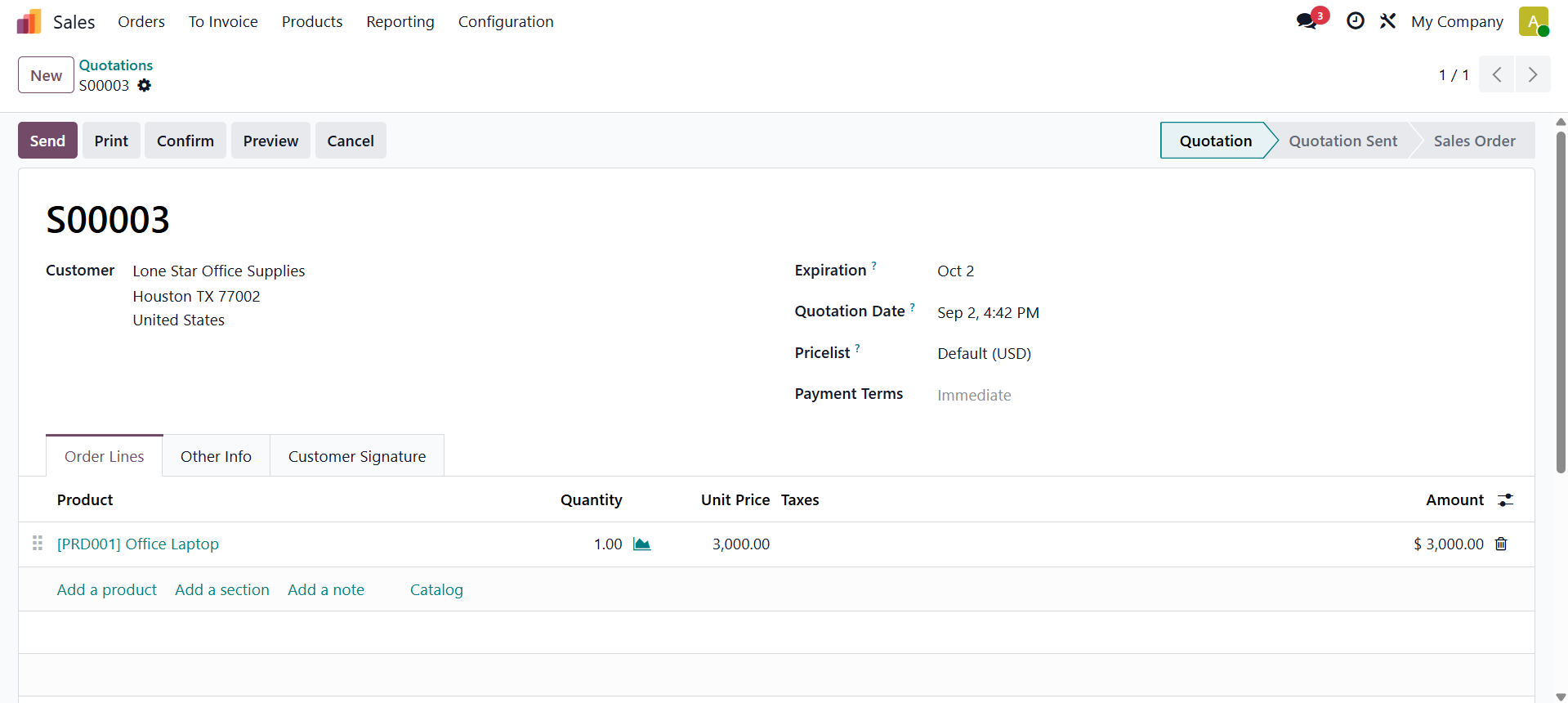
Then let's go to sell the product. Here, the sale order is created and confirmed.
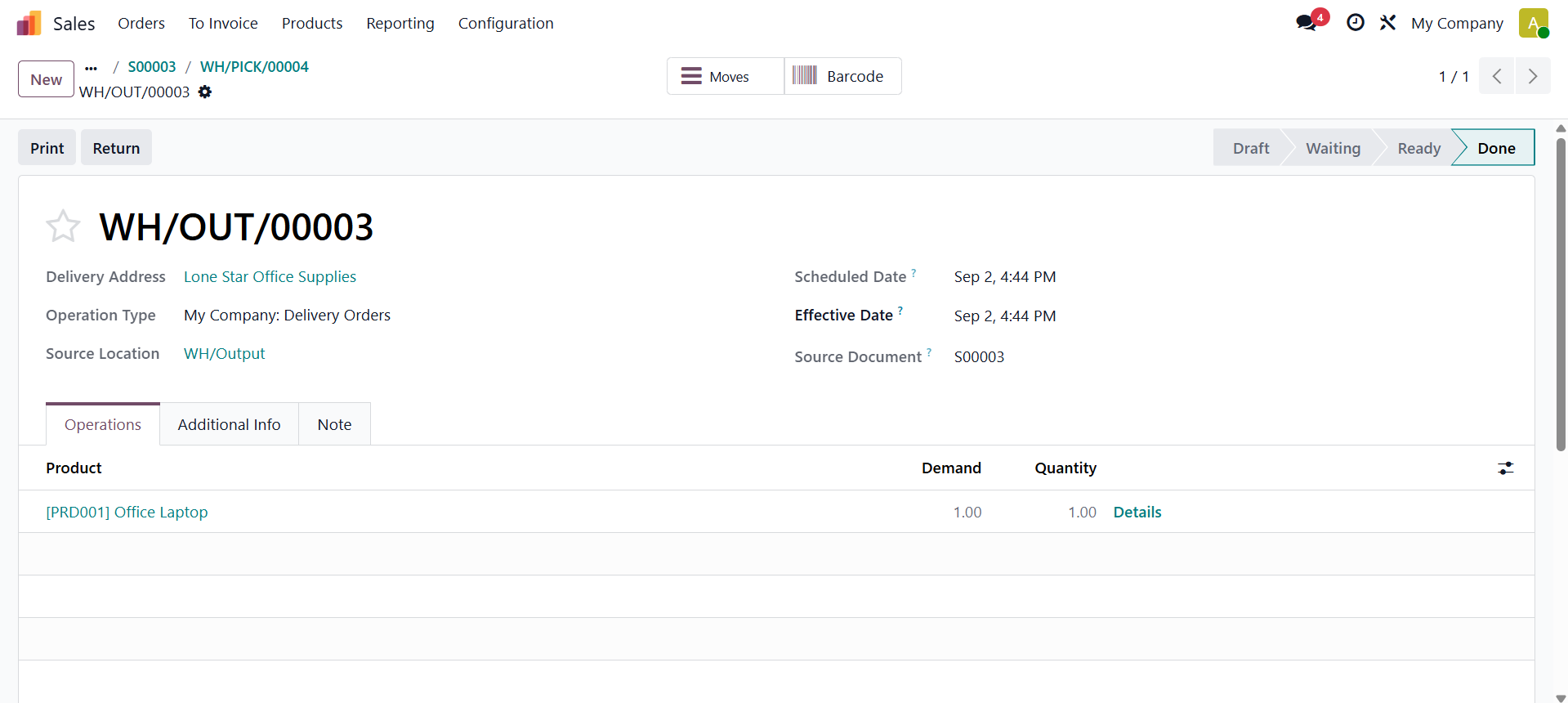
Then open the delivery and validate the delivery transfer.
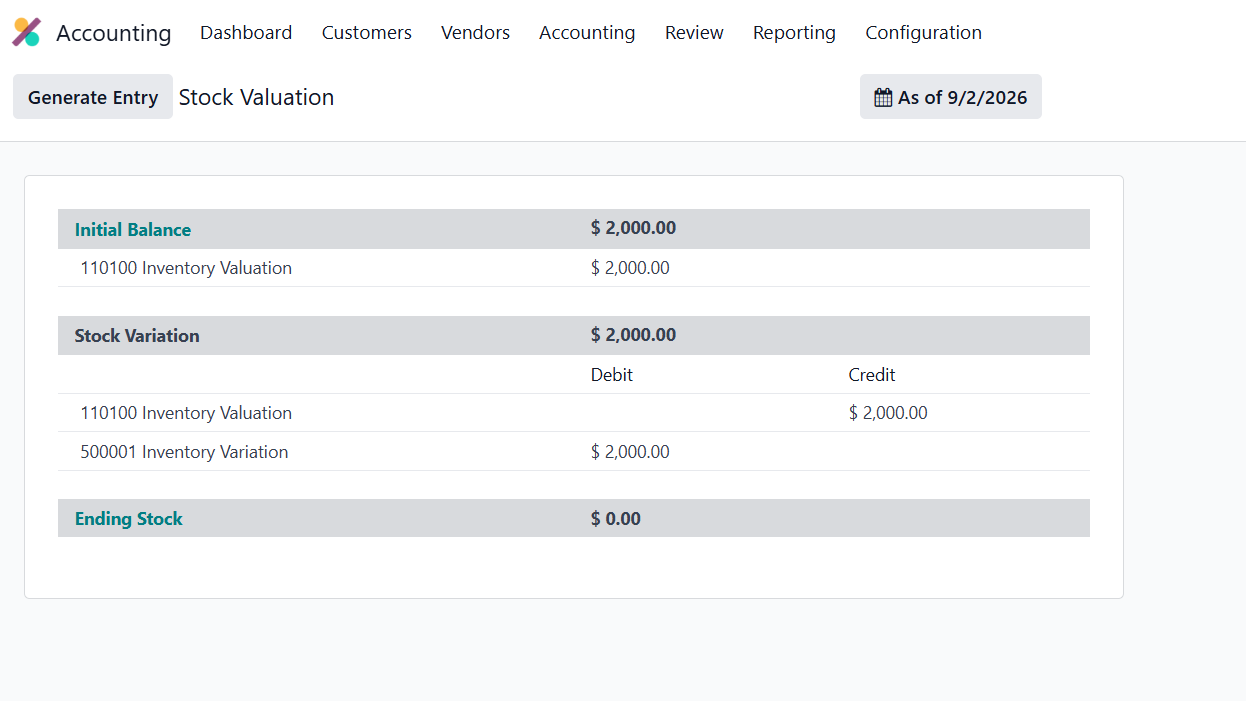
 Next, review the Inventory Valuation report as shown below. Since the Perpetual valuation method is being used, the Stock Variation account is debited, while the Stock Valuation account is credited.
Let's create an invoice for the sale. Confirm it.
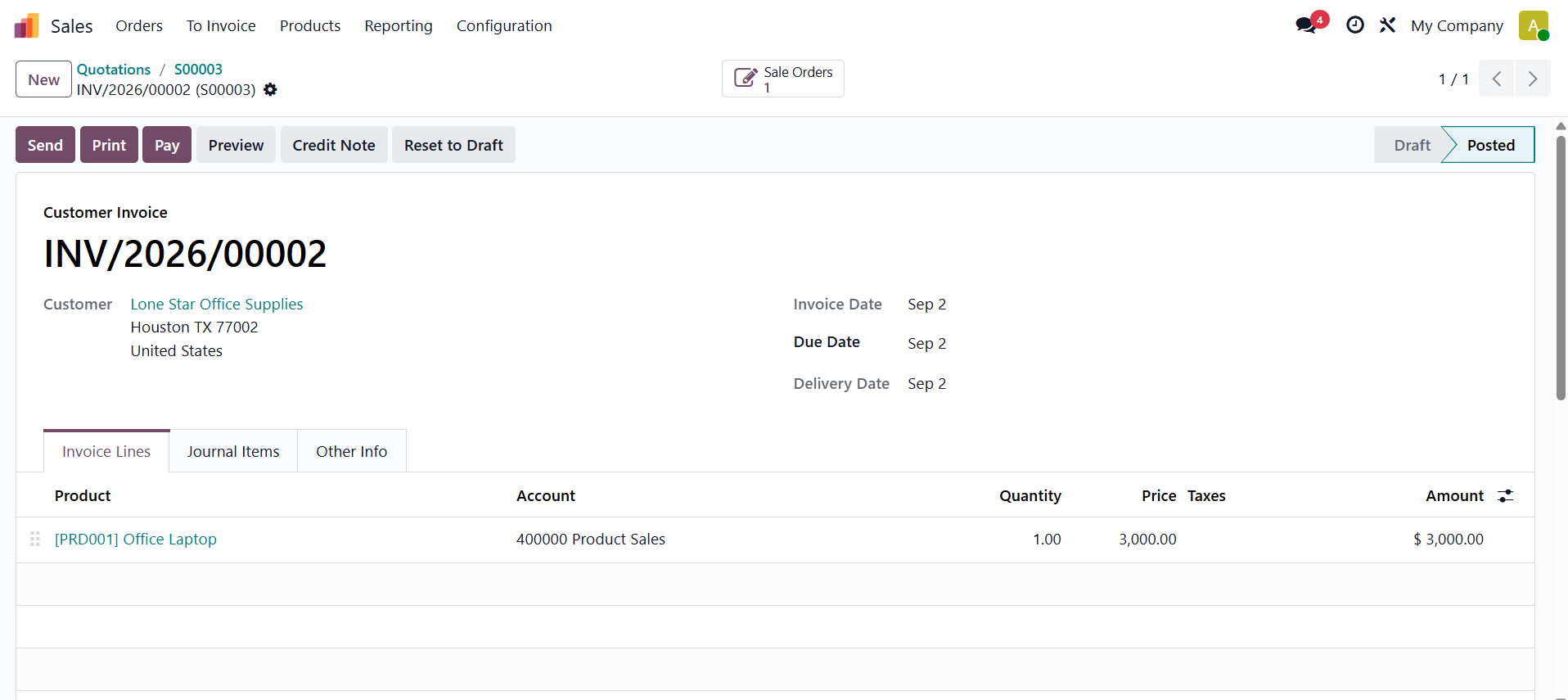
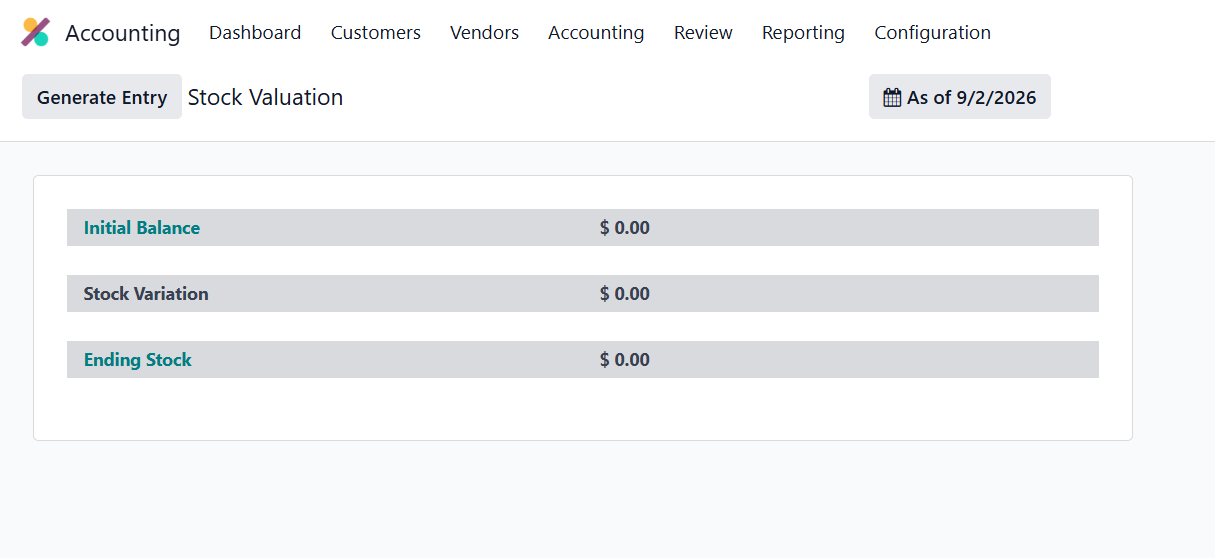
While checking the Inventory valuation again, which is shown below. Just because the Journal entry was generated automatically
Conclusion
Inventory valuation in Odoo 19 plays an important role in maintaining accurate stock values and financial records. With Periodic and Perpetual valuation methods, along with Standard Cost, AVCO, and FIFO, businesses can choose an approach that fits their accounting and inventory needs.
A well-configured valuation system improves financial accuracy, provides better visibility into inventory costs, and strengthens stock management. By selecting the appropriate method and testing the complete inventory workflow, businesses can streamline operations and make more informed decisions.